

Description
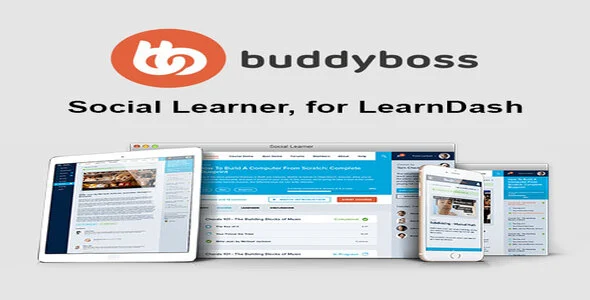
The Boss for LearnDash – Social Learner WordPress Add‑on from GPL Fox is a powerful LearnDash social learner plugin that transforms traditional e‑learning into interactive communities. As a WordPress LMS community addon, it integrates LearnDash with BuddyBoss to deliver forums, messaging, and activity feeds. Instructors benefit from its flexibility as a social learning WordPress extension that encourages collaboration and engagement.
Training centers can rely on it as a LearnDash gamification addon to motivate learners with badges and points. Students enjoy personalized profiles through the WordPress student engagement plugin, while educators use it as an instructor community WordPress LMS tool to foster collaboration. Optimized for speed, it is also an SEO optimized LearnDash addon that boosts visibility. Overall, the Boss for LearnDash – Social Learner WordPress Add‑on is the smart solution for building modern, community‑driven e‑learning platforms. PluginTheme.Net
🌐 Overview
- Purpose: Create a social, interactive learning environment on top of LearnDash LMS.
- Audience: Online academies, corporate training departments, universities, and course creators.
- Platform: WordPress with LearnDash LMS + BuddyBoss/BuddyPress integration.
🔑 Key Features
- Custom LearnDash Layouts: Tailored templates for courses, lessons, and quizzes.
- Social Profiles: Learners get personal profiles with activity feeds, progress tracking, and connections.
- Group Learning: Dedicated social groups for course discussions, resource sharing, and collaboration.
- Activity Stream: Real‑time updates on completions, discussions, and achievements.
- Gamification: Points, badges, and achievements to motivate learners.
- Private Messaging: Direct communication between students and instructors.
- Responsive Design: Optimized for desktop, tablet, and mobile.
- WooCommerce Integration: Supports course sales and e‑commerce functionality.
📊 Benefits
| Feature | Standard LearnDash | With Boss/Social Learner |
|---|---|---|
| Course Delivery | Structured only | Structured + social layers |
| Community Interaction | Limited | Full social networking tools |
| Engagement | Moderate | High with gamification & feeds |
| Collaboration | Basic | Group discussions & messaging |
| User Experience | LMS‑focused | LMS + social community |
⚠️ Considerations
- Dependencies: Requires LearnDash LMS and BuddyBoss/BuddyPress for full functionality.
- Niche Purpose: Best suited for education/training platforms; less flexible for general websites.
- Premium License: Paid theme/add‑on with GPL licensing options available.
✅ Best For
- Universities & schools want blended learning with peer interaction.
- Corporate training teams fostering collaboration and engagement.
- Course creators building community‑driven e‑learning platforms.
- Agencies developing scalable, interactive LMS solutions for clients.
In short, Boss for LearnDash / Social Learner for LearnDash transforms your LMS into a social learning hub—combining structured courses with community features to drive engagement, collaboration, and learner motivation, BuddyBoss LearnDash Integration.









Reviews
There are no reviews yet.