


Description
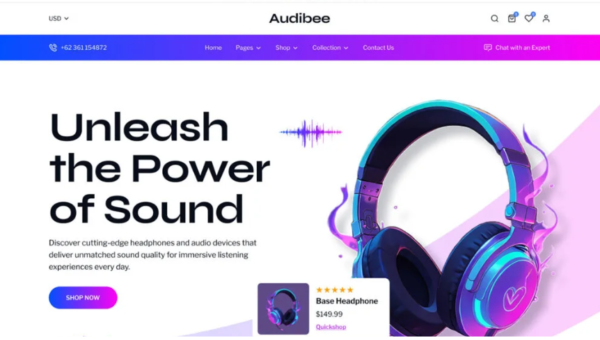
Audibee Headphone Store WordPress Theme is designed for businesses selling headphones, audio gear, and electronics. As a headphone store WordPress theme, it provides sleek layouts and WooCommerce integration for easy product management. Retailers can use it as an audio shop WooCommerce template to showcase collections, while tech brands benefit from a electronics store WordPress theme that highlights gadgets and accessories. With its responsive audio store WordPress template design and SEO‑friendly WooCommerce theme features, Audibee ensures your site ranks higher and loads faster. Whether you’re building a music equipment WordPress theme, an online headphone shop WordPress theme, or a modern audio eCommerce WordPress theme, Audibee delivers professionalism, flexibility, and visibility for your store.
🎧 Overview
Audibee is a headphone and audio store template kit designed to showcase products like headphones, earbuds, speakers, and sound systems. It comes with multiple homepage demos, product showcase layouts, and category pages—perfect for businesses aiming to attract customers and boost online sales. Its mobile‑friendly design ensures smooth browsing and shopping experiences across desktops, tablets, and smartphones.
✨ Key Features
- eCommerce & Shop Tools
- Product showcase layouts with detailed descriptions, pricing, and reviews
- Category pages for organizing headphones, audio gear, and accessories
- WooCommerce integration for seamless online sales and payments
- Shopping cart, checkout, and wishlist functionality
- Blog layouts for publishing audio gear reviews, music trends, and product updates
- Customization Options
- Built with Elementor for drag‑and‑drop editing
- Pre‑designed templates for headers, footers, and product pages
- Unlimited color schemes and typography controls
- One‑click import for quick setup
- Customer Engagement Tools
- Contact and inquiry forms for support and pre‑sales questions
- Newsletter subscription forms for promotions and product launches
- Social media integration for brand visibility
- Testimonials and customer reviews to build trust
- Performance & Compatibility
- Optimized for speed and responsive across all devices
- Compatible with WordPress 6.x, WooCommerce, and PHP 8.x
- Lightweight code for faster loading times
- SEO & Global Support
- SEO‑friendly structure for higher search engine rankings
- Translation‑ready and WPML compatible
- RTL (Right‑to‑Left) language support for global accessibility
🎯 Why Choose Audibee?
Audibee is more than just a template kit—it’s a complete solution for headphone and audio gear shops. Its combination of modern design, Elementor customization, WooCommerce integration, SEO optimization, and multilingual readiness, including RTL support, makes it ideal for businesses aiming to build a professional, high‑converting online store.
📌 Ideal Use Cases
- Headphone and audio gear shops
- Music accessory and electronics retailers
- Online marketplaces for sound systems and gadgets
- Tech blogs with integrated eCommerce
- Lifestyle and music gear stores










Reviews
There are no reviews yet.