

Description
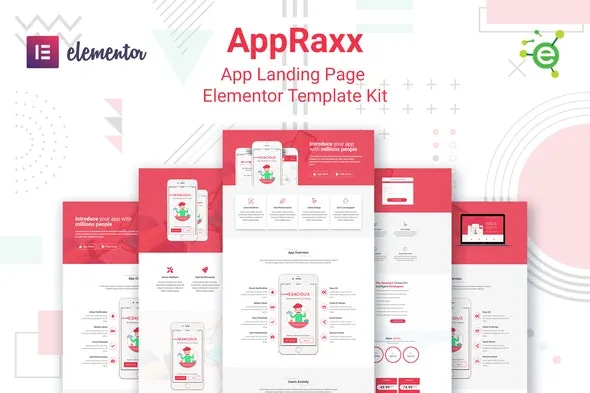
AppRaxx – App Landing Page Elementor Template Kit for WordPress
AppRaxx is a sleek and conversion‑focused Elementor template kit designed for mobile apps, SaaS products, startups, and digital launches. It delivers modern landing page layouts that highlight app features, pricing, testimonials, and download options. Built for WordPress, AppRaxx makes it simple to create a professional app showcase website without coding.
🌐 Overview
- Purpose: Build app landing pages with polished, conversion‑driven design.
- Audience: App developers, SaaS providers, startups, and product marketers.
- Integration: Works seamlessly with WordPress and Elementor, requiring no extra premium plugins.
🔑 Key Features
- Pre‑Built Pages: Includes home, features, pricing, testimonials, blog, and contact templates.
- Feature Highlights: Showcase app functionality with clean, engaging layouts.
- Responsive & Mobile‑Friendly: Optimized for smooth performance across all devices.
- Drag‑and‑Drop Editing: Easily customize layouts, colors, and content with Elementor.
- Global Styles: Consistent typography and branding across all templates.
- Pricing Tables: Present subscription plans or app packages clearly.
- Testimonials: Build trust with user reviews and success stories.
- Download CTAs: Drive conversions with app store and direct download buttons.
- Blog Integration: Share updates, product news, and app tips.
- Call‑to‑Action Blocks: Encourage sign‑ups, downloads, and inquiries.
⚙️ How It Works
- Install & Activate: Add AppRaxx via Template Kit Import.
- Import Templates: Load pre‑built layouts into your WordPress site.
- Customize Content: Replace demo text, images, and branding with your own.
- Publish: Quickly launch a professional app landing page.
📊 Comparison Table
| Feature | Standard Elementor | AppRaxx Template Kit |
|---|---|---|
| App Landing Layouts | Generic | Tailored for apps & SaaS |
| Feature Showcases | Manual setup | Built‑in templates |
| Download CTAs | Limited | Optimized for conversions |
| Pricing Tables | Basic | Subscription‑ready |
⚠️ Considerations
- Requires Elementor to be installed.
- Content replacement is necessary to personalize demo layouts.
- Integration with CRM or analytics tools may be needed for advanced tracking.
✅ Best For
- App developers showcasing mobile or SaaS products.
- Startups launching new digital products.
- Product marketers promoting app features and pricing.
- Agencies creating app landing pages for clients.
In short, AppRaxx – App Landing Page Elementor Template Kit for WordPress delivers sleek, responsive, and conversion‑focused layouts that help app developers and startups quickly launch professional landing pages.










Reviews
There are no reviews yet.