
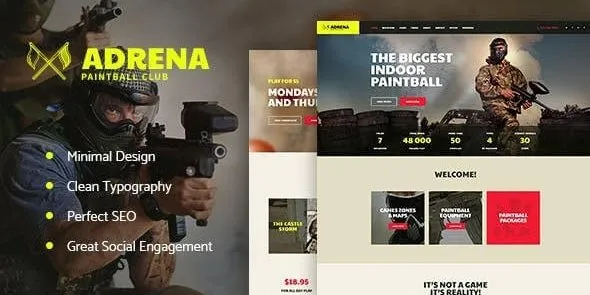

Description
The Adrena Airsoft Club & Paintball WordPress Theme is an adventure sports WordPress theme designed for clubs, arenas, and outdoor activity centers. As a paintball WordPress theme, it offers layouts for matches, tournaments, and team events. With WooCommerce sports theme features, Adrena supports selling gear, equipment, and merchandise online. Its responsive sports WordPress theme design ensures smooth performance across devices, while being an SEO optimized WordPress theme helps maximize visibility. Built with Elementor, Adrena provides flexible customization for event booking, sports club websites, and outdoor activity promotions, making it a powerful choice for airsoft and paintball communities.
🌐 Overview
- Theme Name: Adrena – Airsoft Club & Paintball WordPress Theme
- Category: Sports / Adventure / Club WordPress Theme
- Best For: Airsoft clubs, paintball arenas, adventure sports businesses, outdoor activity centers
🎯 Key Features
- Sports‑Focused Layouts
- Showcase paintball and airsoft events, tournaments, and team activities
- Dedicated pages for club memberships and player profiles
- Event & Booking Management
- Online booking system for matches and events
- Event calendars with schedules and ticketing options
- WooCommerce Integration
- Sell gear, equipment, and club merchandise online
- Secure payment gateways and product catalog support
- Elementor Customization
- Drag‑and‑drop builder with sports‑focused widgets
- Flexible layouts for clubs, teams, and event promotions
- Responsive & SEO Optimized
- Mobile‑friendly, retina‑ready design
- RankMath compatible for higher search visibility
- Community Features
- Blog and news sections for updates
- Social media integration for player engagement
📊 Feature Highlights
| Feature | Adrena Benefits |
|---|---|
| Club Layouts | Showcase teams, events, and memberships |
| Event Management | Booking system & event calendars |
| WooCommerce Ready | Sell gear & merchandise |
| Customization | Elementor drag‑and‑drop builder |
| Responsive Design | Mobile‑friendly, retina‑ready |
| SEO Optimization | RankMath compatible |
| Community Tools | Blogs, news, and social integration |
👥 Who Should Use Adrena Elementor Sports Theme?
- Airsoft Clubs – Promote matches, tournaments, and memberships.
- Paintball Arenas – Showcase events and sell tickets online.
- Adventure Sports Centers – Offer booking for outdoor activities.
- Sports Merch Stores – Sell gear and equipment with WooCommerce.
⚠️ Considerations & Trade‑offs
- Setup Complexity: Event booking features may require configuration.
- Plugin Dependencies: Elementor, WooCommerce, and WPML needed for full functionality.
- Customization Depth: Advanced event management may need add‑ons.
Adrena – Airsoft Club & Paintball WordPress Theme is a dynamic and action‑oriented theme crafted for airsoft clubs, paintball arenas, adventure sports centers, and outdoor activity businesses. It blends bold design with practical features, making it ideal for promoting events, managing bookings, and engaging with a community of players.









Reviews
There are no reviews yet.