

Description
Academy LMS Pro – WordPress Plugin
Academy LMS Pro is a premium learning management system plugin for WordPress that enables educators, institutions, and businesses to build, manage, and monetize online courses. With advanced features for course creation, student engagement, and revenue generation, it transforms any WordPress site into a professional e‑learning platform.
🌐 Overview
- Purpose: Create, manage, and sell online courses.
- Audience: Schools, universities, training centers, coaches, and e‑learning entrepreneurs.
- Platform: WordPress with WooCommerce integration.
🔑 Key Features
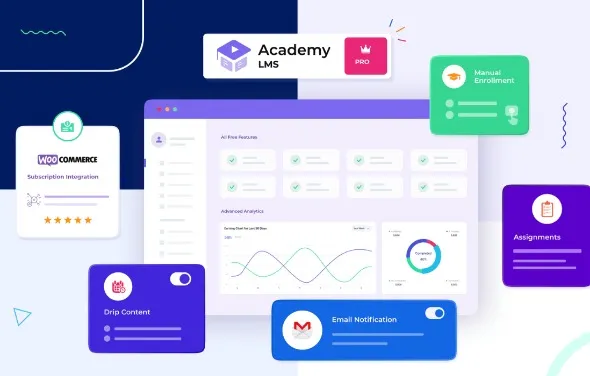
- Course Builder: Drag‑and‑drop interface for lessons, quizzes, assignments, and multimedia content.
- Monetization: Sell courses via WooCommerce with flexible pricing models (subscriptions, bundles, discounts).
- Quizzes & Exams: Multiple question types, grading options, and timed assessments.
- Assignments & Certificates: Manage homework submissions and issue branded certificates.
- Student Dashboard: Personalized dashboards for learners to track progress, grades, and achievements.
- Instructor Management: Multi‑instructor support with commission tracking and earnings reports.
- Analytics & Reports: Detailed insights into student performance, engagement, and revenue.
- Gamification: Badges, points, and rewards to motivate learners.
- Content Protection: Restrict access to enrolled students only.
- Integrations: Compatible with Elementor, Gutenberg, and popular WordPress themes.
- Multisite & Multilingual: WPML compatible, translation‑ready, and supports global audiences.
📊 Benefits
| Feature | Standard LMS Plugin | Academy LMS Pro |
|---|---|---|
| Course Builder | Basic setup | Advanced drag‑and‑drop builder |
| Quizzes & Exams | Limited | Multiple types + grading |
| Monetization | Manual | WooCommerce integration |
| Certificates | Not included | Built‑in certificate generator |
| Instructor Management | Single instructor | Multi‑instructor with commissions |
| Analytics | Minimal | Advanced reporting & insights |
⚠️ Considerations
- Premium License: Pro features require a paid subscription.
- Setup Time: Complex course structures may need initial configuration.
- Hosting Requirements: Optimized hosting recommended for large student bases.
✅ Best For
- Universities & schools offering online programs.
- Training centers delivering workshops and certifications.
- Coaches & consultants selling courses directly.
- Agencies are building e‑learning platforms for clients.
In short, Academy LMS Pro is a complete WordPress solution for online education—combining powerful course-creation tools, monetization options, and student-engagement features to deliver professional e‑learning experiences.









Reviews
There are no reviews yet.