

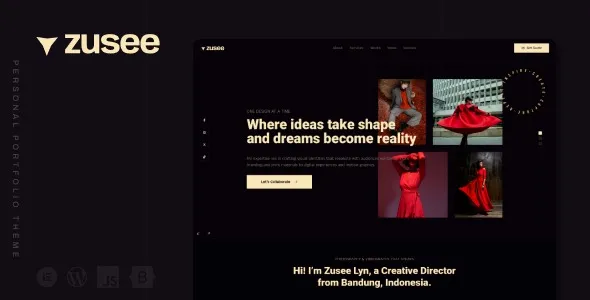

Description
The Zusee Personal Portfolio WordPress Theme is a complete solution for freelancers and professionals who want to build a strong online presence. As a portfolio WordPress theme, it allows users to showcase projects and achievements with style. It also functions as a resume WordPress theme, making it ideal for personal CV websites. Creative individuals benefit from its flexibility as a freelancer WordPress theme and creative WordPress theme that highlights skills and work samples. Designed for branding, it works as a personal branding WordPress theme with customizable layouts.
With Elementor integration, it serves as an Elementor portfolio theme for drag‑and‑drop design, while WooCommerce support makes it a WooCommerce portfolio theme for selling services or digital products. Built as a responsive portfolio WordPress theme, it ensures mobile‑friendly performance, and its clean coding makes it an SEO optimized portfolio theme that improves visibility. Overall, the Zusee Personal Portfolio WordPress Theme is the ultimate choice for creatives and professionals.
🎯 Key Features
- Portfolio & Resume Layouts – Highlight projects, case studies, and achievements.
- Elementor Page Builder – Drag‑and‑drop customization with creative widgets.
- WooCommerce Integration – Sell services, digital products, or creative assets.
- Responsive & Retina Ready – Optimized for mobile, tablet, and desktop.
- SEO‑Friendly – RankMath compatible with clean coding and schema markup.
- Creative Tools – Typography, color palettes, and blog layouts for personal branding.
- Multilingual Support – WPML compatibility for global reach.
📊 Feature Highlights
| Feature | Zusee Benefits |
|---|---|
| Portfolio Layouts | Showcase projects & resume |
| Elementor Integration | Drag‑and‑drop customization |
| WooCommerce Ready | Sell services & products |
| Responsive Design | Mobile‑friendly & retina‑ready |
| SEO Optimization | RankMath compatible |
| Creative Tools | Typography & branding options |
| Multilingual Support | WPML & RTL compatibility |
👥 Who Should Use Zusee?
- Freelancers – Present skills and client projects.
- Professionals – Build a personal resume or CV site.
- Artists & Creatives – Showcase portfolios and creative work.
- Bloggers – Share personal insights and updates.
- Personal Brands – Strengthen online presence with a stylish website.
⚠️ Considerations
- Requires Elementor: Works best with Elementor page builder.
- Customization Depth: Advanced layouts may need some design knowledge.
- Portfolio Focus: Tailored for personal branding and creative showcases.
✅ Final Takeaway
Zusee – Personal Portfolio WordPress Theme is a powerful solution for freelancers, professionals, and creatives who want to build a modern, SEO‑friendly personal website. With Elementor customization, WooCommerce integration, and responsive layouts, it’s the perfect theme to showcase your work, grow your brand, and connect with clients worldwide.










Reviews
There are no reviews yet.