

0
$0.00

Select Currency

Download All Products Free With Any Membership Plan

Latest Version

YITH WooCommerce Points and Rewards Premium

Buy This Single Latest Version From Here

Limited Time Offer

$2.99

Sales Ongoing

YITH WooCommerce Points and Rewards Premium lets you create a flexible loyalty program for your WooCommerce store. Reward customers with points for purchases, actions, or milestones, and allow them to redeem points for discounts or rewards. With customizable rules, expiration settings, and detailed reports, it helps boost customer retention and sales through gamified engagement.

YITH WooCommerce Points and Rewards Premium – WordPress Plugin

YITH WooCommerce Points and Rewards Premium is a loyalty program plugin for WooCommerce that allows you to reward customers with points for purchases, actions, or milestones. Customers can redeem accumulated points for discounts or rewards, encouraging repeat purchases and building long-term relationships. With flexible rules, customizable rewards, and detailed reporting, this plugin helps store owners increase customer retention and boost sales.


🌟 Key Features of YITH WooCommerce Points and Rewards Premium

1. Points & Rewards System

  • Earn Points: Customers earn points for purchases, reviews, registrations, or specific actions.
  • Redeem Points: Points can be converted into discounts or rewards at checkout.
  • Custom Rules: Define earning and redemption rules based on products, categories, or user roles.
  • Expiration Settings: Set expiration dates for points to encourage timely use.

2. Customer Engagement Tools

  • Targeted Discounts: Offer special promotions when customers reach point thresholds.
  • Milestone Rewards: Reward customers for loyalty achievements (e.g., spending goals).
  • Gamification: Motivate customers with progress tracking and visible point balances.
  • Email Notifications: Inform customers about earned points, rewards, and expirations.

3. Store Management Features

  • Flexible Configuration: Adjust point values, conversion rates, and reward types.
  • Detailed Reports: Track points earned, redeemed, and expired.
  • Role-Based Rules: Apply different earning/redeeming rules for specific customer groups.
  • Compatibility: Works seamlessly with WooCommerce and other YITH plugins.

4. User Experience Enhancements

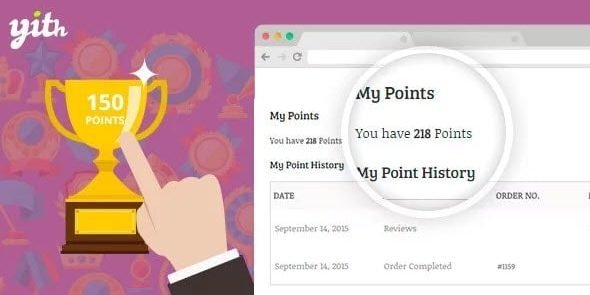
  • Customer Dashboard: Customers can view their point balance and history.
  • Checkout Integration: Redeem points directly during checkout.
  • Multi-Language Support: Compatible with WPML for global stores.
  • Responsive Design: Optimized for desktop, tablet, and mobile.

📊 Quick Overview Table

Feature Benefit
Earn & Redeem Points Encourage repeat purchases
Custom Rules Tailor rewards to products or user roles
Expiration Settings Drive urgency and engagement
Milestone Rewards Motivate customers with loyalty goals
Detailed Reports Track program performance
Customer Dashboard Transparency for point balances
Checkout Integration Easy redemption during purchase

🌟 Why Choose YITH WooCommerce Points and Rewards Premium?

YITH WooCommerce Points and Rewards Premium transforms your WooCommerce store into a loyalty-driven marketplace. By rewarding customers with points and offering flexible redemption options, it strengthens customer relationships, increases retention, and boosts sales. Whether you’re running a small shop or a large eCommerce business, this plugin provides the tools to build a successful loyalty program tailored to your audience.

🛠️ How to Install GPL Themes & Plugins from GPLFox.com


1. Download Your Theme or Plugin

  • Visit GPLFox.com and log in to your account.
  • Browse or search for the theme/plugin you want.
  • Click Download to get the .zip file onto your computer.

2. Install via WordPress Dashboard

  • Log in to your WordPress Admin Panel.
  • Go to:
    • ThemesAppearance > Themes > Add New > Upload Theme
    • PluginsPlugins > Add New > Upload Plugin
  • Click Upload, then select the .zip file you downloaded from GPLFox.
  • Press Install Now.

3. Activate the Theme or Plugin

  • Once installed, click Activate.
  • For themes: your site will immediately switch to the new design.
  • For plugins: the plugin will be enabled and ready to configure.

4. Configure Settings

  • Most premium themes/plugins include customization options.
  • Navigate to the theme’s Customizer or plugin’s Settings panel.
  • Adjust layouts, features, and integrations as needed.

5. Keep Files Updated

  • GPLFox provides updated versions regularly.
  • Re‑download the latest .zip from GPLFox and repeat the upload process to update your theme/plugin.

Tip for Users: Since GPL products don’t require license activation, you can use them right away after installation. Just make sure to keep them up to date for security and compatibility.

Need Hosting Solution ?
0



