

Description
WP School Management System – WordPress Plugin
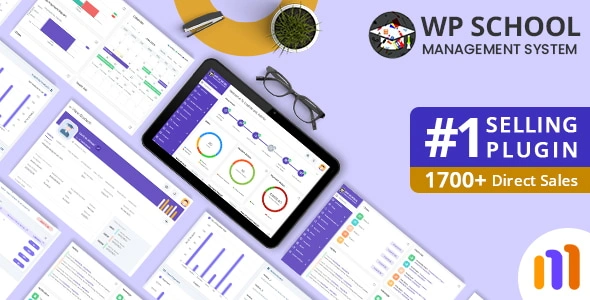
WP School Management System is a comprehensive WordPress plugin designed to digitize and streamline school operations. It provides administrators, teachers, parents, and students with role‑based dashboards to manage academics, communication, and administration efficiently—all within WordPress.
🌐 Overview
- Purpose: Centralize school management tasks in WordPress.
- Audience: Schools, colleges, universities, academies, and training centers.
- Platform: WordPress plugin with responsive, multi‑role dashboards.
🔑 Key Features
- Student Information System: Register students, track attendance, and maintain academic records.
- Teacher & Staff Management: Assign subjects, manage schedules, and monitor performance.
- Class & Routine Management: Create timetables, allocate classrooms, and organize subjects.
- Exam & Grade Management: Conduct exams, record marks, and generate report cards.
- Fee & Payment Management: Collect fees online, track invoices, and manage transactions.
- Library Module: Issue, return, and track books digitally.
- Transport Management: Manage routes, vehicles, and student transport assignments.
- Dormitory Management: Allocate rooms and track student housing.
- Parent Portal: Parents can monitor attendance, grades, and fee status.
- Communication Tools: Send notices, announcements, and messages to students and parents.
- Multi‑Language Support: Accessible globally with localization options.
- Responsive Design: Optimized for desktops, tablets, and mobile devices.
📊 Benefits
| Feature | Manual Management | WP School Management Plugin |
|---|---|---|
| Student Records | Paper‑based | Digital profiles & attendance |
| Exam Results | Manual reports | Automated grade sheets |
| Fee Tracking | Spreadsheets | Integrated invoicing & payments |
| Parent Communication | Limited | Dedicated parent portal |
| Administration | Time‑consuming | Centralized, efficient system |
⚠️ Considerations
- Premium License: Advanced modules require a paid version.
- Setup Effort: Initial configuration needed for classes, subjects, and user roles.
- Hosting Requirements: Optimized hosting recommended for large institutions.
✅ Best For
- Schools & colleges managing large student bases.
- Training centers offering structured programs.
- Universities are digitizing administration and communication.
- Agencies are building education portals for clients.
In short, WP School Management System transforms WordPress into a full‑featured school ERP—digitizing academics, administration, and communication for modern educational institutions.










Reviews
There are no reviews yet.