

0
$0.00

Select Currency

Download All Products Free With Any Membership Plan

Latest Version

WooCommerce Authorize.net Payment Gateway Premium

Buy This Single Latest Version From Here

Limited Time Offer

$2.99

Sales Ongoing

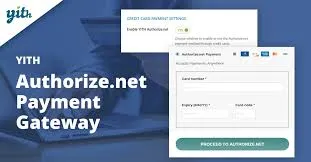
WooCommerce Authorize.net Payment Gateway Premium integrates Authorize.net’s secure payment processing into WooCommerce, allowing stores to accept credit cards and eCheck/ACH payments seamlessly. With tokenization, fraud protection, recurring billing, and saved payment methods, it delivers a safe, customer-friendly checkout experience while ensuring PCI compliance.

WooCommerce Authorize.net Payment Gateway Premium – WordPress Plugin

WooCommerce Authorize.net Payment Gateway Premium is a secure and reliable extension that integrates Authorize.net’s payment processing services directly into your WooCommerce store. Designed for merchants who want to accept credit card and eCheck payments seamlessly, this plugin ensures PCI compliance, reduces cart abandonment, and provides customers with a smooth checkout experience. With advanced fraud protection, recurring billing support, and tokenization, it’s a complete solution for managing online transactions.


🌟 Key Features of WooCommerce Authorize.net Payment Gateway Premium

1. Secure Payment Processing

  • Credit Card Payments: Accept Visa, MasterCard, American Express, Discover, and more.
  • eCheck/ACH Support: Enable direct bank payments for customers.
  • Tokenization: Securely store customer payment details for future purchases.
  • Fraud Protection: Built-in tools to detect and prevent fraudulent transactions.

2. Customer Experience Enhancements

  • Seamless Checkout: Customers pay directly on your site without redirection.
  • Saved Payment Methods: Allow returning customers to reuse stored cards.
  • Recurring Billing: Support for subscriptions and automated payments.
  • Mobile-Friendly Design: Optimized for smartphones and tablets.

3. Merchant Tools

  • Detailed Transaction Logs: Track and manage payments from your dashboard.
  • Refunds & Voids: Process refunds directly from WooCommerce admin.
  • Customizable Settings: Configure accepted card types, checkout fields, and more.
  • Multi-Currency Support: Accept payments in different currencies (based on Authorize.net availability).

4. Technical & Compliance Features

  • PCI DSS Compliance: Meets industry standards for secure payment processing.
  • SSL Support: Works with HTTPS-enabled stores for maximum security.
  • WooCommerce Compatibility: Fully integrated with WooCommerce orders and reporting.
  • Easy Setup: Quick installation and configuration with API credentials.

📊 Quick Overview Table

Feature Benefit
Credit Card Payments Accept major cards securely
eCheck/ACH Support Enable direct bank payments
Tokenization Store customer details safely
Recurring Billing Manage subscriptions and automated payments
Fraud Protection Reduce risk of fraudulent transactions
Refunds & Voids Process refunds directly from WooCommerce
PCI Compliance Ensure secure, industry-standard transactions

🌟 Why Choose WooCommerce Authorize.net Payment Gateway Premium?

WooCommerce Authorize.net Payment Gateway Premium is the ideal solution for WooCommerce stores that want secure, flexible, and professional payment processing. By integrating directly with Authorize.net, it provides merchants with advanced fraud protection, recurring billing, and seamless checkout experiences. Whether you’re running a small online shop or a large eCommerce business, this plugin ensures your transactions are safe, efficient, and customer-friendly.

🛠️ How to Install GPL Themes & Plugins from GPLFox.com


1. Download Your Theme or Plugin

  • Visit GPLFox.com and log in to your account.
  • Browse or search for the theme/plugin you want.
  • Click Download to get the .zip file onto your computer.

2. Install via WordPress Dashboard

  • Log in to your WordPress Admin Panel.
  • Go to:
    • ThemesAppearance > Themes > Add New > Upload Theme
    • PluginsPlugins > Add New > Upload Plugin
  • Click Upload, then select the .zip file you downloaded from GPLFox.
  • Press Install Now.

3. Activate the Theme or Plugin

  • Once installed, click Activate.
  • For themes: your site will immediately switch to the new design.
  • For plugins: the plugin will be enabled and ready to configure.

4. Configure Settings

  • Most premium themes/plugins include customization options.
  • Navigate to the theme’s Customizer or plugin’s Settings panel.
  • Adjust layouts, features, and integrations as needed.

5. Keep Files Updated

  • GPLFox provides updated versions regularly.
  • Re‑download the latest .zip from GPLFox and repeat the upload process to update your theme/plugin.

Tip for Users: Since GPL products don’t require license activation, you can use them right away after installation. Just make sure to keep them up to date for security and compatibility.

Need Hosting Solution ?
0



