Download All Products Free With Any Membership Plan

Latest Version

Widgeter – WordPress Widgets Pack for Elementor

Buy This Single Latest Version From Here

Widgeter – WordPress Widgets Pack for Elementor
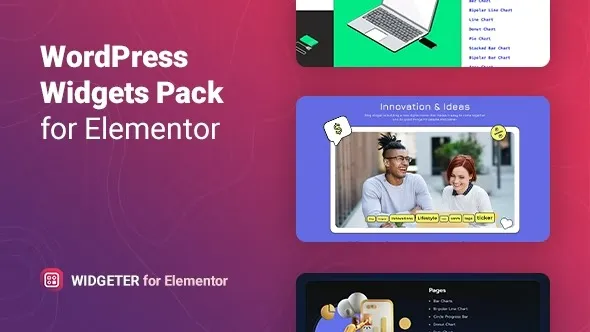
A versatile WordPress plugin that extends Elementor with a rich collection of functional and creative widgets. It includes content blocks, galleries, sliders, testimonials, pricing tables, WooCommerce elements, and blog enhancements, all fully responsive and customizable. Lightweight and easy to use, Widgeter helps designers, agencies, freelancers, and businesses build professional, engaging, and feature‑rich websites with advanced functionality directly inside Elementor.

Description

Widgeter – WordPress Widgets Pack for Elementor

Widgeter is a comprehensive WordPress plugin that expands Elementor with a versatile pack of widgets, giving designers, agencies, and businesses the tools to build highly customized, feature‑rich websites. It simplifies content creation by offering ready‑to‑use elements for design, business, and interactive features—all fully responsive and easy to style.


🌐 Overview

  • Purpose: Extend Elementor with a wide range of functional and creative widgets.
  • Audience: Web designers, agencies, freelancers, and businesses.
  • Integration: Works seamlessly with Elementor’s drag‑and‑drop editor.

🔑 Key Features

  • Rich Widget Library: Includes content blocks, sliders, galleries, testimonials, pricing tables, and more.
  • Business Tools: Contact forms, service boxes, team profiles, and call‑to‑action elements.
  • Creative Elements: Animated text, icon boxes, progress bars, counters, and interactive banners.
  • WooCommerce Support: Product grids, category displays, and add‑to‑cart buttons.
  • Blog Enhancements: Post lists, carousels, author info, and stylish blog layouts.
  • Custom Styling: Full control over colors, fonts, spacing, and animations.
  • Responsive Design: Optimized for mobile, tablet, and desktop.
  • Lightweight & Fast: Built for performance without slowing down websites.

⚙️ How It Works

  1. Install & Activate: Add Widgeter to your WordPress site.
  2. Open Elementor: Access the expanded widget library.
  3. Drag & Drop Widgets: Insert elements into your pages.
  4. Customize: Adjust styling, animations, and layouts with Elementor controls.
  5. Publish: Deliver polished, professional websites with advanced functionality.

📊 Comparison Table

Feature Default Elementor Widgeter Pack
Widget Count Limited Extensive
Business Tools Basic Advanced
WooCommerce Widgets Minimal Full support
Creative Elements Standard Premium
Responsive Design Partial Fully optimized

⚠️ Considerations

  • Elementor Required: Works only with Elementor installed.
  • Learning Curve: A large widget set may take time to explore fully.
  • Premium License: Some advanced widgets may be Pro‑only.

✅ Best For

  • Agencies are building complex client websites.
  • Freelancers need versatile design tools.
  • Businesses running WooCommerce stores.
  • Content creators are enhancing blogs and portfolios.

In short, Widgeter – WordPress Widgets Pack for Elementor delivers a powerful set of widgets that extend Elementor’s capabilities, helping you build professional, engaging, and fully customized websites with ease.

Reviews

There are no reviews yet.

Only logged in customers who have purchased this product may leave a review.

🛠️ How to Install GPL Themes & Plugins from GPLFox.com

1. Download Your Theme or Plugin

  • Visit GPLFox.com and log in to your account.
  • Browse or search for the theme/plugin you want.
  • Click Download to get the .zip file onto your computer.

2. Install via WordPress Dashboard

  • Log in to your WordPress Admin Panel.
  • Go to:
    • ThemesAppearance > Themes > Add New > Upload Theme
    • PluginsPlugins > Add New > Upload Plugin
  • Click Upload, then select the .zip file you downloaded from GPLFox.
  • Press Install Now.

3. Activate the Theme or Plugin

  • Once installed, click Activate.
  • For themes: your site will immediately switch to the new design.
  • For plugins: the plugin will be enabled and ready to configure.

4. Configure Settings

  • Most premium themes/plugins include customization options.
  • Navigate to the theme’s Customizer or plugin’s Settings panel.
  • Adjust layouts, features, and integrations as needed.

5. Keep Files Updated

  • GPLFox provides updated versions regularly.
  • Re‑download the latest .zip from GPLFox and repeat the upload process to update your theme/plugin.

Tip for Users: Since GPL products don’t require license activation, you can use them right away after installation. Just make sure to keep them up to date for security and compatibility.


Need Hosting Solution ?
Shopping cart2
TypeSense Search for WooCommerce
TypeSense Search for WooCommerceUSD2.99
WooCommerce-Currency
WooCommerce Currency Switcher – Multi Currency and Multi PayUSD2.99
Total
USD5.98
Continue shopping
2