

0
$0.00

Select Currency

Download All Products Free With Any Membership Plan

Latest Version

Wavy Modern & Lightweight Blog for WordPress

Buy This Single Latest Version From Here

Limited Time Offer

$2.35

Sales Ongoing

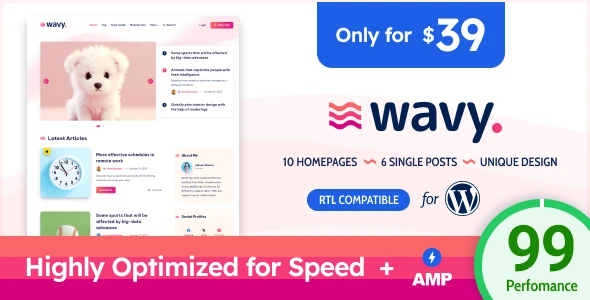
Wavy – Modern & Lightweight Blog for WordPress is a fast, responsive theme designed for personal blogs, tech sites, and storytelling platforms. It features vivid layouts, AMP support, syntax highlighting, SEO‑friendly design, and easy customization—perfect for modern bloggers who value speed and style.

Wavy – Modern & Lightweight Blog for WordPress is a super‑modern, fast, and highly optimized WordPress theme designed for bloggers, storytellers, and publishers who value speed, vivid design, and clean readability. Built by EstudioPatagon, Wavy follows the latest web design trends and delivers a smooth, lightweight experience that works perfectly for personal blogs, technology sites, AI content, comics/anime, biographies, and even tutorial or programming blogs thanks to its built‑in syntax highlighter.


📰 Overview

Wavy is crafted to provide a minimal yet visually striking blogging experience. It focuses on performance, vivid colors, and unique animations, ensuring your content stands out while loading quickly across all devices. With AMP support, optimized code, and a lightweight structure, Wavy is ideal for bloggers who want both aesthetics and speed.


✨ Key Features

  • Modern & Lightweight Design
    • Super light and unique layouts with vivid colors and animations
    • Clean typography and accessible color contrast for readability
  • Performance Focused
    • AMP support (Transitional Mode) for faster mobile browsing
    • Very low INODES usage, perfect for shared hosting environments
    • PHP 8.x ready and constantly updated for stability
  • Customization Options
    • Flexible layouts for personal, tech, AI, comics, or biography blogs
    • Syntax highlighter for tutorial and programming websites
    • Easy customization with intuitive editor experience
  • Compatibility & Responsiveness
    • Fully responsive and retina‑ready visuals
    • Optimized for speed and SEO to attract organic traffic
    • Works seamlessly with WordPress 6.x
  • Publishing Tools
    • Multiple post formats including text, gallery, and multimedia
    • Smooth animations and transitions for engaging storytelling

🎯 Why Choose Wavy?

Wavy is more than just a blog theme—it’s a modern publishing solution. Its combination of lightweight performance, vivid design, AMP support, and programming‑friendly features makes it perfect for bloggers, educators, and creators who want to deliver content quickly and stylishly.


📌 Ideal Use Cases

  • Personal blogs with a modern, colorful design
  • Technology and AI blogs with fast performance
  • Comics, anime, or biography storytelling sites
  • Tutorial and programming blogs using syntax highlighting

🛠️ How to Install GPL Themes & Plugins from GPLFox.com


1. Download Your Theme or Plugin

  • Visit GPLFox.com and log in to your account.
  • Browse or search for the theme/plugin you want.
  • Click Download to get the .zip file onto your computer.

2. Install via WordPress Dashboard

  • Log in to your WordPress Admin Panel.
  • Go to:
    • ThemesAppearance > Themes > Add New > Upload Theme
    • PluginsPlugins > Add New > Upload Plugin
  • Click Upload, then select the .zip file you downloaded from GPLFox.
  • Press Install Now.

3. Activate the Theme or Plugin

  • Once installed, click Activate.
  • For themes: your site will immediately switch to the new design.
  • For plugins: the plugin will be enabled and ready to configure.

4. Configure Settings

  • Most premium themes/plugins include customization options.
  • Navigate to the theme’s Customizer or plugin’s Settings panel.
  • Adjust layouts, features, and integrations as needed.

5. Keep Files Updated

  • GPLFox provides updated versions regularly.
  • Re‑download the latest .zip from GPLFox and repeat the upload process to update your theme/plugin.

Tip for Users: Since GPL products don’t require license activation, you can use them right away after installation. Just make sure to keep them up to date for security and compatibility.

Need Hosting Solution ?
0



