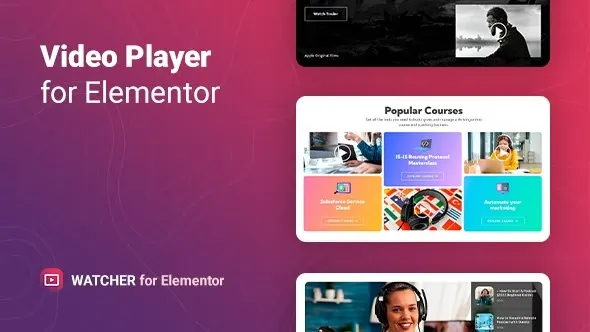
Watcher – Flexible Video Player for Elementor
Watcher is a WordPress plugin that adds a powerful and customizable video player widget to Elementor, enabling you to embed and showcase videos from multiple sources in a modern, responsive format. Designed for bloggers, agencies, educators, and businesses, it helps deliver video content with advanced controls, styling options, and seamless integration.
🌐 Overview
- Purpose: Embed and play videos with flexible layouts and advanced controls.
- Audience: Content creators, educators, agencies, e‑commerce stores, and businesses.
- Integration: Works seamlessly with Elementor’s drag‑and‑drop editor.
🔑 Key Features
- Multiple Video Sources: Supports YouTube, Vimeo, self‑hosted MP4, and external links.
- Customizable Player: Control colors, buttons, overlays, and playback options.
- Advanced Controls: Autoplay, loop, mute, progress bar, and volume settings.
- Responsive Design: Optimized for mobile, tablet, and desktop.
- Interactive Elements: Add captions, call‑to‑action buttons, or overlays.
- Dynamic Content Support: Pull videos from posts, products, or custom fields.
- Lightweight & Fast: Built for smooth playback without slowing down websites.
- Easy Setup: Drag‑and‑drop widget integration with Elementor.
⚙️ How It Works
- Install & Activate: Add Watcher to your WordPress site.
- Open Elementor, then access the Watcher widget.
- Insert Video: Choose source (YouTube, Vimeo, or self‑hosted).
- Customize Player: Adjust styling, controls, and overlays.
- Publish: Deliver flexible, engaging video content to your audience.
📊 Comparison Table
| Feature |
Default Elementor |
Watcher – Video Player |
| Video Sources |
Limited |
YouTube, Vimeo, MP4, links |
| Player Customization |
Basic |
Advanced styling & controls |
| Interactive Elements |
No |
Yes |
| Responsive Design |
Partial |
Fully optimized |
| Dynamic Content |
No |
Yes |
⚠️ Considerations
- Elementor Required: Works only with Elementor installed.
- API Dependency: YouTube/Vimeo embeds rely on external APIs.
- Premium License: Some advanced features may be Pro‑only.
✅ Best For
- Bloggers & educators embedding tutorials or lessons.
- Agencies showcasing promotional videos.
- E‑commerce stores are adding product demos.
- Businesses delivering presentations or marketing content.
In short, Watcher – Flexible Video Player for Elementor gives you complete control over how videos are displayed and played, helping you deliver engaging, responsive, and customizable video experiences directly inside Elementor layouts.
🛠️ How to Install GPL Themes & Plugins from GPLFox.com
1. Download Your Theme or Plugin
- Visit GPLFox.com and log in to your account.
- Browse or search for the theme/plugin you want.
- Click Download to get the
.zip file onto your computer.
2. Install via WordPress Dashboard
- Log in to your WordPress Admin Panel.
- Go to:
- Themes → Appearance > Themes > Add New > Upload Theme
- Plugins → Plugins > Add New > Upload Plugin
- Click Upload, then select the
.zip file you downloaded from GPLFox. - Press Install Now.
3. Activate the Theme or Plugin
- Once installed, click Activate.
- For themes: your site will immediately switch to the new design.
- For plugins: the plugin will be enabled and ready to configure.
4. Configure Settings
- Most premium themes/plugins include customization options.
- Navigate to the theme’s Customizer or plugin’s Settings panel.
- Adjust layouts, features, and integrations as needed.
5. Keep Files Updated
- GPLFox provides updated versions regularly.
- Re‑download the latest
.zip from GPLFox and repeat the upload process to update your theme/plugin.
✅ Tip for Users: Since GPL products don’t require license activation, you can use them right away after installation. Just make sure to keep them up to date for security and compatibility.