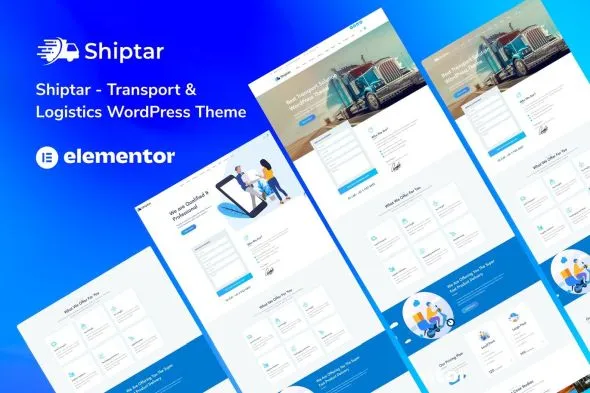
Shiptar – Transport & Logistics WordPress Theme is a professional, responsive, and industry‑focused WordPress theme designed for logistics companies, transport services, freight forwarders, shipping agencies, and courier businesses. With its modern layouts and powerful features, Shiptar helps you showcase services, manage shipments, and build a trusted online presence that attracts clients and strengthens your brand.
🚚 Key Features
- Transport & Logistics Design
Purpose‑built layouts tailored for logistics firms, shipping companies, and courier services.
- Service Showcase
Highlight freight forwarding, warehousing, trucking, cargo handling, and delivery services with stylish templates.
- Shipment Tracking & Quote Forms
Integrated forms for shipment inquiries, quotes, and client communication to streamline operations.
- WooCommerce Integration
Sell logistics packages, courier services, or related products with a seamless cart and checkout system.
- Elementor Page Builder
Drag‑and‑drop customization with Elementor for effortless design without coding.
- Responsive & Mobile‑Friendly
Optimized for desktops, tablets, and smartphones, ensuring smooth browsing experiences across all devices.
- One‑Click Demo Import
Quickly replicate demo designs and launch your logistics website in minutes.
- Advanced Customization
Unlimited color schemes, flexible typography, and multiple header/footer styles to match your brand identity.
- Team & Company Profiles
Showcase your drivers, staff, and management team with dedicated profile sections.
- Blog & Content Options
Share industry news, logistics tips, and company updates with customizable blog layouts.
- SEO‑Friendly Structure
Clean code and optimized design to boost search engine visibility.
⚙️ Technical Highlights
- Compatible with WordPress 6+
- Built with Elementor for advanced customization
- WooCommerce‑ready for service and product sales
- Retina‑ready and translation‑ready
- Lightweight and fast‑loading performance
- Includes documentation and regular updates
🎯 Why Choose Shiptar?
Shiptar is perfect for logistics companies, transport services, shipping agencies, and courier businesses who want a professional, customizable, and service‑focused WordPress theme. Its service showcases, shipment tracking tools, WooCommerce integration, and responsive design make it a complete solution for building a transport and logistics website that inspires trust and drives business growth.
🛠️ How to Install GPL Themes & Plugins from GPLFox.com
1. Download Your Theme or Plugin
- Visit GPLFox.com and log in to your account.
- Browse or search for the theme/plugin you want.
- Click Download to get the
.zip file onto your computer.
2. Install via WordPress Dashboard
- Log in to your WordPress Admin Panel.
- Go to:
- Themes → Appearance > Themes > Add New > Upload Theme
- Plugins → Plugins > Add New > Upload Plugin
- Click Upload, then select the
.zip file you downloaded from GPLFox. - Press Install Now.
3. Activate the Theme or Plugin
- Once installed, click Activate.
- For themes: your site will immediately switch to the new design.
- For plugins: the plugin will be enabled and ready to configure.
4. Configure Settings
- Most premium themes/plugins include customization options.
- Navigate to the theme’s Customizer or plugin’s Settings panel.
- Adjust layouts, features, and integrations as needed.
5. Keep Files Updated
- GPLFox provides updated versions regularly.
- Re‑download the latest
.zip from GPLFox and repeat the upload process to update your theme/plugin.
✅ Tip for Users: Since GPL products don’t require license activation, you can use them right away after installation. Just make sure to keep them up to date for security and compatibility.