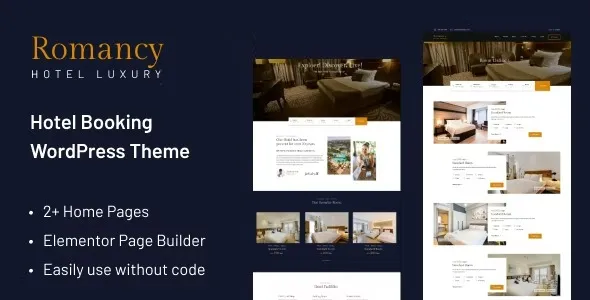
Romancy – Hotel Booking WordPress Theme is a modern, elegant, and feature-rich solution designed specifically for hotels, resorts, and accommodation businesses to manage bookings and showcase services professionally.
🌟 Overview
Romancy is a clean, creative, and luxury-focused WordPress theme tailored for hotel owners, travel agencies, and rental services. It combines stylish design with powerful booking functionality, ensuring your website not only looks attractive but also converts visitors into guests.
🏨 Key Features
- Multiple Homepage Layouts
Comes with 2+ pre-built homepage designs to suit different branding styles and hotel types.
- Room Listing & Detail Pages
Includes 3+ room listing layouts and customizable room detail pages to highlight amenities, pricing, and availability.
- Integrated Booking System
Built-in hotel booking functionality allows guests to check availability, book rooms, and manage reservations directly on your site.
- Modern & Responsive Design
Fully responsive and retina-ready, ensuring seamless performance across desktops, tablets, and mobile devices.
- Customization Options
Compatible with Elementor page builder, giving you drag-and-drop flexibility to design pages without coding.
- WooCommerce Support
Enables secure online payments and integration with popular payment gateways.
- Multilingual & Translation Ready
Supports WPML and other translation plugins, making it ideal for international audiences.
- SEO Optimized
Structured for search engine visibility to help hotels rank higher and attract organic traffic.
- Additional Features
- Mega menu support
- Blog layouts for content marketing
- Gallery options for showcasing hotel interiors/exteriors
- Contact forms and Google Maps integration
🎯 Why Choose Romancy?
Romancy is more than just a theme—it’s a complete hotel booking solution. Its combination of luxury design, booking automation, and customization flexibility makes it perfect for hotels, resorts, guesthouses, and even apartment rentals. By using Romancy, businesses can streamline reservations, improve customer experience, and present a polished online presence.
📌 Ideal Use Cases
- Boutique hotels wanting a stylish online presence
- Resorts showcasing multiple room types and amenities
- Guesthouses or B&Bs needing a simple booking system
- Travel agencies offering accommodation packages
🛠️ How to Install GPL Themes & Plugins from GPLFox.com
1. Download Your Theme or Plugin
- Visit GPLFox.com and log in to your account.
- Browse or search for the theme/plugin you want.
- Click Download to get the
.zip file onto your computer.
2. Install via WordPress Dashboard
- Log in to your WordPress Admin Panel.
- Go to:
- Themes → Appearance > Themes > Add New > Upload Theme
- Plugins → Plugins > Add New > Upload Plugin
- Click Upload, then select the
.zip file you downloaded from GPLFox. - Press Install Now.
3. Activate the Theme or Plugin
- Once installed, click Activate.
- For themes: your site will immediately switch to the new design.
- For plugins: the plugin will be enabled and ready to configure.
4. Configure Settings
- Most premium themes/plugins include customization options.
- Navigate to the theme’s Customizer or plugin’s Settings panel.
- Adjust layouts, features, and integrations as needed.
5. Keep Files Updated
- GPLFox provides updated versions regularly.
- Re‑download the latest
.zip from GPLFox and repeat the upload process to update your theme/plugin.
✅ Tip for Users: Since GPL products don’t require license activation, you can use them right away after installation. Just make sure to keep them up to date for security and compatibility.