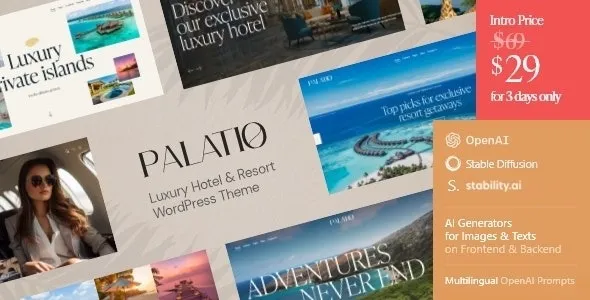
🏨 Palatio – Luxury Hotel & Resort WordPress Theme
The Palatio WordPress Theme is a premium, elegant, and fully responsive solution designed for luxury hotels, resorts, boutique stays, and high‑end hospitality businesses. With its refined layouts, advanced booking system, and WooCommerce integration, Palatio helps you deliver a seamless online experience that reflects the sophistication of your brand.
✨ Key Features
- Luxury‑Focused Design – Sleek, modern, and visually stunning layouts tailored for upscale hotels and resorts.
- Advanced Booking System – Integrated reservation engine with real‑time availability, flexible pricing, and secure payment gateways.
- Room & Suite Showcase – Highlight accommodations with detailed descriptions, photo galleries, amenities, and seasonal offers.
- WooCommerce Integration – Accept online payments for bookings, packages, and hospitality services directly from your site.
- Responsive & Mobile‑Friendly – Optimized for desktops, tablets, and smartphones, ensuring smooth browsing everywhere.
- Customizable Layouts – Multiple homepage demos, room templates, and inner pages with Elementor drag‑and‑drop builder support.
- SEO Optimized – Clean code, schema markup, and fast loading speed to boost search engine rankings.
- Multilingual & Currency Support – Compatible with WPML and multi‑currency plugins for global hospitality businesses.
- One‑Click Demo Import – Quickly set up your site with ready‑made layouts.
- Lifetime Updates & Support – Regular improvements and compatibility with the latest WordPress versions.
🛎️ Perfect For
- Luxury hotels and resorts
- Boutique stays and premium guesthouses
- Vacation rentals and spa retreats
- Hospitality and tourism businesses
🚀 Why Choose Palatio?
Palatio is more than just a WordPress theme—it’s a complete luxury hotel and resort booking solution. With its intuitive reservation system, beautiful room layouts, and SEO‑friendly design, it helps you attract high‑end guests, increase direct bookings, and build a trusted hospitality brand online.
In short, Palatio empowers luxury hotels and resorts to create a professional, elegant, and profitable online presence.
🛠️ How to Install GPL Themes & Plugins from GPLFox.com
1. Download Your Theme or Plugin
- Visit GPLFox.com and log in to your account.
- Browse or search for the theme/plugin you want.
- Click Download to get the
.zip file onto your computer.
2. Install via WordPress Dashboard
- Log in to your WordPress Admin Panel.
- Go to:
- Themes → Appearance > Themes > Add New > Upload Theme
- Plugins → Plugins > Add New > Upload Plugin
- Click Upload, then select the
.zip file you downloaded from GPLFox. - Press Install Now.
3. Activate the Theme or Plugin
- Once installed, click Activate.
- For themes: your site will immediately switch to the new design.
- For plugins: the plugin will be enabled and ready to configure.
4. Configure Settings
- Most premium themes/plugins include customization options.
- Navigate to the theme’s Customizer or plugin’s Settings panel.
- Adjust layouts, features, and integrations as needed.
5. Keep Files Updated
- GPLFox provides updated versions regularly.
- Re‑download the latest
.zip from GPLFox and repeat the upload process to update your theme/plugin.
✅ Tip for Users: Since GPL products don’t require license activation, you can use them right away after installation. Just make sure to keep them up to date for security and compatibility.