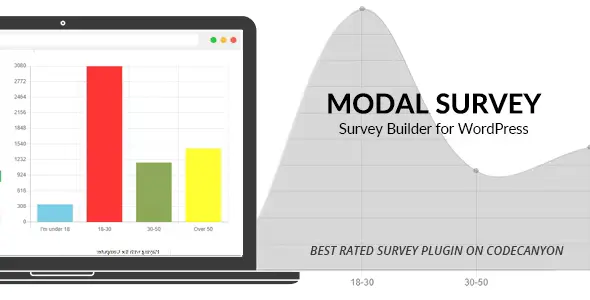
Modal Survey WordPress Plugin lets you create interactive polls, surveys, and quizzes with real‑time charts, conditional logic, and email integrations. Perfect for collecting feedback, boosting engagement, generating leads, and visualizing results, it’s a versatile tool for businesses, educators, and marketers.
The Modal Survey WordPress Plugin is a powerful tool for creating interactive polls, surveys, and quizzes directly on your WordPress site. Designed to boost engagement, collect valuable feedback, and visualize results, it’s perfect for businesses, bloggers, educators, and marketers who want to understand their audience better and drive conversions.
🌟 Key Features
Interactive Polls & Surveys
Build engaging polls and surveys with customizable designs.
Quizzes with Scoring
Create personality tests, knowledge quizzes, and assessments with scoring logic.
Real‑Time Results
Display live charts, graphs, and statistics to users after submission.
Customizable Layouts
Choose from multiple chart types (pie, bar, line) and tailor the look to match your brand.
Email Integration
Connect with Mailchimp, ActiveCampaign, and other email marketing tools to grow your list.
Conditional Logic
Show or hide questions based on user responses for personalized experiences.
Export & Reporting
Export survey results to CSV or PDF for deeper analysis.
Mobile‑Friendly
Fully responsive design ensures smooth participation across devices.
🏆 Benefits for Businesses
Audience Insights: Collect opinions, feedback, and preferences to guide decisions.
Lead Generation: Use quizzes and surveys to capture emails and grow your subscriber base.
Engagement Boost: Interactive polls keep visitors on your site longer.
Data Visualization: Present results in clear, attractive charts to enhance transparency and impact.
Versatile Use Cases: Perfect for market research, customer satisfaction surveys, educational quizzes, and promotional campaigns.
📊 Example Use Cases
Scenario
Benefit
Customer satisfaction survey
Improve products and services
Personality quiz
Drive engagement and shares
Market research poll
Collect actionable insights
Educational test
Assess student knowledge
Event feedback form
Enhance future events
⚠️ Considerations
Requires WordPress 4.0+ and PHP 5.6+.
Best suited for sites that want interactive engagement and data collection.
✅ Conclusion
The Modal Survey WordPress Poll, Survey & Quiz Plugin is an all‑in‑one solution for creating interactive surveys, quizzes, and polls. With real‑time charts, conditional logic, and email integrations, it helps businesses and creators engage audiences, collect insights, and boost conversions.
🛠️ How to Install GPL Themes & Plugins from GPLFox.com
Click Upload, then select the .zip file you downloaded from GPLFox.
Press Install Now.
3. Activate the Theme or Plugin
Once installed, click Activate.
For themes: your site will immediately switch to the new design.
For plugins: the plugin will be enabled and ready to configure.
4. Configure Settings
Most premium themes/plugins include customization options.
Navigate to the theme’s Customizer or plugin’s Settings panel.
Adjust layouts, features, and integrations as needed.
5. Keep Files Updated
GPLFox provides updated versions regularly.
Re‑download the latest .zip from GPLFox and repeat the upload process to update your theme/plugin.
✅ Tip for Users: Since GPL products don’t require license activation, you can use them right away after installation. Just make sure to keep them up to date for security and compatibility.



 1 × $2.99