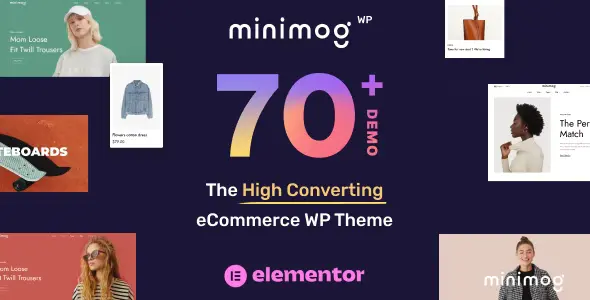
MinimogWP – The High Converting eCommerce WordPress Theme is a premium, modern, and fully responsive WordPress theme designed to maximize sales and conversions for online stores. Built with WooCommerce and optimized for speed, SEO, and user experience, MinimogWP is trusted by entrepreneurs and businesses worldwide to create high‑performing eCommerce websites.
🌐 Overview
MinimogWP is known as the “Next Generation WooCommerce Theme” because it combines sleek design with powerful conversion‑focused features. It comes with 70+ ready‑to‑use demos, advanced product layouts, and built‑in marketing tools, making it perfect for fashion, furniture, electronics, lifestyle, and multipurpose online shops.
✨ Key Features
- Conversion‑Focused Design
- Clean, modern layouts optimized for product presentation
- Multiple shop and product page styles
- Smart product filtering, quick view, and wishlist options
- Customization & Flexibility
- Built with Elementor for drag‑and‑drop editing
- 70+ prebuilt demos and templates for instant setup
- Unlimited color schemes, fonts, and background options
- Customizable headers, footers, and mega menus
- eCommerce Power Tools
- Full WooCommerce integration for product management and checkout
- Advanced product variations and swatches
- Built‑in sales booster features: countdown timers, stock scarcity alerts, and upsell popups
- Coupon, discount, and bundle support
- Performance & Usability
- Lightweight and optimized for speed
- Mobile‑friendly and retina‑ready design
- SEO‑friendly structure for higher search rankings
- Cross‑browser compatibility
- Content & Engagement Tools
- Blog layouts for content marketing
- Portfolio showcase for creative sellers
- Newsletter subscription and social media integration
- Global Support
- Translation‑ready and WPML compatible
- RTL (Right‑to‑Left) language support
- Regular updates and developer support
🎯 Why Choose MinimogWP?
MinimogWP is more than just a theme—it’s a high‑converting eCommerce solution. Its combination of 70+ demos, Elementor customization, WooCommerce integration, built‑in sales boosters, SEO optimization, and multilingual readiness makes it perfect for businesses that want to grow faster and sell smarter.
📌 Ideal Use Cases
- Fashion and apparel shops
- Electronics and gadget stores
- Furniture and home décor shops
- Lifestyle and creative product sellers
- Multipurpose eCommerce brands
🛠️ How to Install GPL Themes & Plugins from GPLFox.com
1. Download Your Theme or Plugin
- Visit GPLFox.com and log in to your account.
- Browse or search for the theme/plugin you want.
- Click Download to get the
.zip file onto your computer.
2. Install via WordPress Dashboard
- Log in to your WordPress Admin Panel.
- Go to:
- Themes → Appearance > Themes > Add New > Upload Theme
- Plugins → Plugins > Add New > Upload Plugin
- Click Upload, then select the
.zip file you downloaded from GPLFox. - Press Install Now.
3. Activate the Theme or Plugin
- Once installed, click Activate.
- For themes: your site will immediately switch to the new design.
- For plugins: the plugin will be enabled and ready to configure.
4. Configure Settings
- Most premium themes/plugins include customization options.
- Navigate to the theme’s Customizer or plugin’s Settings panel.
- Adjust layouts, features, and integrations as needed.
5. Keep Files Updated
- GPLFox provides updated versions regularly.
- Re‑download the latest
.zip from GPLFox and repeat the upload process to update your theme/plugin.
✅ Tip for Users: Since GPL products don’t require license activation, you can use them right away after installation. Just make sure to keep them up to date for security and compatibility.