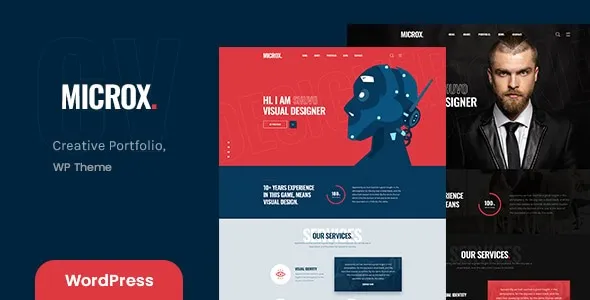
🌟 Microx – Personal Portfolio WordPress Theme + RTL
Microx is a sleek, modern, and fully responsive WordPress theme designed for professionals who want to showcase their personal brand, portfolio, and resume in style. Whether you’re a designer, developer, freelancer, photographer, or creative entrepreneur, Microx provides the perfect platform to present your skills and achievements. With built‑in RTL (Right‑to‑Left) language support, it’s ideal for global audiences and multilingual websites.
✨ Key Features
- Clean & Minimal Design – Elegant layouts crafted to highlight your portfolio and resume.
- One‑Click Demo Import – Quickly set up your site with ready‑made demo content.
- Responsive & Retina Ready – Optimized for desktops, tablets, and smartphones.
- RTL Language Support – Seamlessly adapt your site for Arabic, Hebrew, Persian, and other RTL languages.
- Portfolio Showcase – Multiple grid and masonry layouts to display projects beautifully.
- Resume & CV Sections – Dedicated templates for education, experience, and skills.
- Blog Integration – Share insights, updates, and case studies with a stylish blog.
- Drag‑and‑Drop Builder Compatibility – Works smoothly with popular page builders for easy customization.
- Unlimited Colors & Fonts – Personalize typography and palettes to match your brand identity.
- SEO Optimized – Built with clean code and best practices to help your portfolio rank higher.
- Fast Loading & Lightweight – Ensures smooth performance and better user experience.
- Cross‑Browser Compatibility – Tested across all major browsers for flawless display.
- Regular Updates & Support – Stay secure and up‑to‑date with ongoing improvements.
🎯 Who Is It For?
- Freelancers wanting to impress potential clients with a professional online presence
- Designers, developers, and creatives showcasing their portfolio and resume
- Agencies and studios needing a sleek personal branding solution
- Professionals seeking a modern, customizable website with resume + blog integration
🌍 Why Choose Microx?
Microx combines simplicity, flexibility, and global reach in one theme. With RTL support, customizable layouts, and a focus on personal branding, Microx empowers you to create a portfolio website that reflects your personality and professionalism.
🛠️ How to Install GPL Themes & Plugins from GPLFox.com
1. Download Your Theme or Plugin
- Visit GPLFox.com and log in to your account.
- Browse or search for the theme/plugin you want.
- Click Download to get the
.zip file onto your computer.
2. Install via WordPress Dashboard
- Log in to your WordPress Admin Panel.
- Go to:
- Themes → Appearance > Themes > Add New > Upload Theme
- Plugins → Plugins > Add New > Upload Plugin
- Click Upload, then select the
.zip file you downloaded from GPLFox. - Press Install Now.
3. Activate the Theme or Plugin
- Once installed, click Activate.
- For themes: your site will immediately switch to the new design.
- For plugins: the plugin will be enabled and ready to configure.
4. Configure Settings
- Most premium themes/plugins include customization options.
- Navigate to the theme’s Customizer or plugin’s Settings panel.
- Adjust layouts, features, and integrations as needed.
5. Keep Files Updated
- GPLFox provides updated versions regularly.
- Re‑download the latest
.zip from GPLFox and repeat the upload process to update your theme/plugin.
✅ Tip for Users: Since GPL products don’t require license activation, you can use them right away after installation. Just make sure to keep them up to date for security and compatibility.