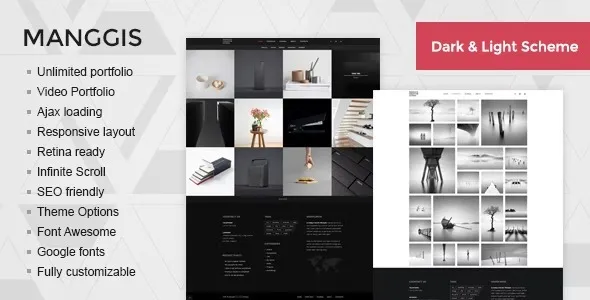
🌟 Manggis – Creative Portfolio and Blog Theme
Manggis is a stylish, modern WordPress theme designed for creatives who want to showcase their work and share their stories with ease. Built with a focus on clean design, flexible layouts, and seamless performance, Manggis is perfect for freelancers, photographers, designers, studios, and bloggers who value both aesthetics and functionality.
🎨 Key Features
- Creative Portfolio Layouts
- Masonry and Packery grids with multiple column options (2, 3, 4, or full-width).
- Support for image galleries, video portfolios, and project case studies.
- Filterable categories for easy navigation and professional presentation.
- Unique Blog Styles
- Timeline-style blog for storytelling.
- Grid and classic layouts for versatile content publishing.
- Smooth typography and spacing for readability.
- Multimedia Ready
- Video portfolio support with pop-up playback.
- Gallery lightbox for immersive viewing.
- Retina-ready images for crisp visuals on all devices.
- Customization Made Simple
- WordPress Customizer integration for colors, fonts, and layouts.
- Multiple header and navigation styles.
- Widget-ready sidebars and footers for social links, contact info, and featured posts.
- Social & Interactive
- Instagram feed integration to highlight your latest visuals.
- Contact Form 7 support for easy communication.
- Social media widgets for Twitter, Facebook, and more.
- Performance & Compatibility
- Responsive design that adapts beautifully to mobile, tablet, and desktop.
- SEO-friendly structure with semantic markup.
- WooCommerce compatibility for selling products or services.
- Translation-ready for global audiences.
🚀 Why Choose Manggis?
Manggis blends portfolio showcase and blogging into one cohesive theme, giving creatives the freedom to present projects while also sharing insights, updates, or personal stories. Its lightweight build ensures fast loading, while its flexible customization options make it easy to tailor the site to your brand identity. Whether you’re a solo freelancer or a creative studio, Manggis helps you stand out with a professional, engaging online presence.
📋 Quick Setup Checklist
- Install and activate the Manggis theme.
- Import demo content for instant setup.
- Add portfolio projects with images or videos.
- Customize colors, fonts, and layouts in the Customizer.
- Connect Instagram and set up your blog.
- Launch your creative portfolio and start sharing your work.
🛠️ How to Install GPL Themes & Plugins from GPLFox.com
1. Download Your Theme or Plugin
- Visit GPLFox.com and log in to your account.
- Browse or search for the theme/plugin you want.
- Click Download to get the
.zip file onto your computer.
2. Install via WordPress Dashboard
- Log in to your WordPress Admin Panel.
- Go to:
- Themes → Appearance > Themes > Add New > Upload Theme
- Plugins → Plugins > Add New > Upload Plugin
- Click Upload, then select the
.zip file you downloaded from GPLFox. - Press Install Now.
3. Activate the Theme or Plugin
- Once installed, click Activate.
- For themes: your site will immediately switch to the new design.
- For plugins: the plugin will be enabled and ready to configure.
4. Configure Settings
- Most premium themes/plugins include customization options.
- Navigate to the theme’s Customizer or plugin’s Settings panel.
- Adjust layouts, features, and integrations as needed.
5. Keep Files Updated
- GPLFox provides updated versions regularly.
- Re‑download the latest
.zip from GPLFox and repeat the upload process to update your theme/plugin.
✅ Tip for Users: Since GPL products don’t require license activation, you can use them right away after installation. Just make sure to keep them up to date for security and compatibility.