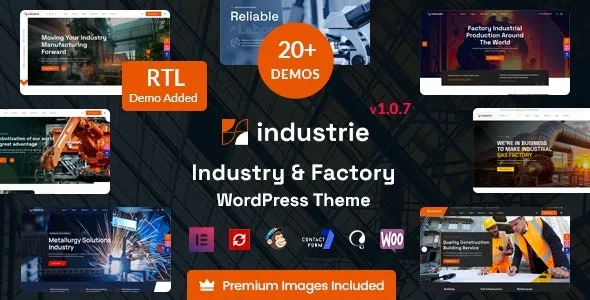
Industry—Factory & Industry WordPress Theme is a modern, professional solution tailored for manufacturing plants, factories, engineering firms, and industrial businesses. It combines robust design with powerful functionality to help companies showcase their expertise, services, and projects online.
🏭 Overview
Industrie is built specifically for the industrial sector, offering a strong, reliable, and professional look that reflects the values of manufacturing and engineering companies. It’s fully responsive, SEO‑friendly, and requires no coding knowledge, making it accessible for both beginners and experienced developers.
⚙️ Key Features
- Elementor Page Builder—Drag‑and‑drop customization with ease.
- One‑Click Demo Import—Quickly set up your site with ready‑made layouts.
- Industry‑Focused Design – Tailored for factories, construction, engineering, and heavy industries.
- Responsive & Retina Ready—Optimized for desktops, tablets, and mobile devices.
- WooCommerce Integration—Sell products, parts, or services directly online.
- Advanced Theme Options—Control colors, fonts, and layouts from a powerful admin panel.
- Portfolio & Project Showcase—Highlight completed projects and case studies.
- Blog & News Layouts – Share industry updates, company news, and insights.
- Translation Ready – Build multilingual websites for global reach.
- SEO Optimized—Structure designed to improve search engine visibility.
📚 Resources & Support
- Detailed Documentation – Step‑by‑step setup guide.
- Dedicated Support Team—Professional help for troubleshooting and customization.
- Regular Updates—Ensures compatibility with the latest WordPress versions.
- Demo Content Included—Professionally designed pages ready to use.
🛠️ Why Choose Industrie?
- Niche‑specific design that reflects strength, reliability, and professionalism.
- Perfect for industrial enterprises such as factories, construction companies, and engineering firms.
- Easy customization with Elementor and theme options.
- Built for credibility—showcase services, projects, and client testimonials.
- Global reach with translation and WooCommerce support.
✅ Perfect For
- Manufacturing plants
- Factories and production companies
- Engineering and construction firms
- Heavy industry and logistics businesses
Industrie ensures your industrial brand has a powerful online presence, helping you attract clients and partners and showcase your expertise with confidence.
🛠️ How to Install GPL Themes & Plugins from GPLFox.com
1. Download Your Theme or Plugin
- Visit GPLFox.com and log in to your account.
- Browse or search for the theme/plugin you want.
- Click Download to get the
.zip file onto your computer.
2. Install via WordPress Dashboard
- Log in to your WordPress Admin Panel.
- Go to:
- Themes → Appearance > Themes > Add New > Upload Theme
- Plugins → Plugins > Add New > Upload Plugin
- Click Upload, then select the
.zip file you downloaded from GPLFox. - Press Install Now.
3. Activate the Theme or Plugin
- Once installed, click Activate.
- For themes: your site will immediately switch to the new design.
- For plugins: the plugin will be enabled and ready to configure.
4. Configure Settings
- Most premium themes/plugins include customization options.
- Navigate to the theme’s Customizer or plugin’s Settings panel.
- Adjust layouts, features, and integrations as needed.
5. Keep Files Updated
- GPLFox provides updated versions regularly.
- Re‑download the latest
.zip from GPLFox and repeat the upload process to update your theme/plugin.
✅ Tip for Users: Since GPL products don’t require license activation, you can use them right away after installation. Just make sure to keep them up to date for security and compatibility.