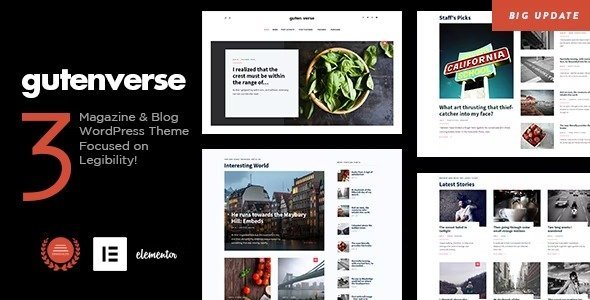
GutenVerse – Magazine and Blog WordPress Theme is a modern, flexible, and fully responsive WordPress theme designed for online magazines, editorial blogs, and content-rich websites. Built with the Gutenberg editor at its core, GutenVerse empowers publishers and bloggers to create visually stunning layouts with ease, while maintaining speed, SEO-friendliness, and a professional look.
📰 Overview
GutenVerse is a next-generation WordPress theme crafted for writers, journalists, and publishers who want a seamless content creation experience. Leveraging the power of Gutenberg blocks allows you to design unique magazine-style pages without coding. Whether you’re running a lifestyle blog, a tech magazine, or a multi-category news portal, GutenVerse ensures your content is presented beautifully across all devices.
✨ Key Features
- Magazine & Blog Layouts
- Multiple homepage demos tailored for blogs and magazines
- Grid, list, and masonry layouts for flexible content display
- Featured posts, trending sections, and category highlights
- Gutenberg Integration
- Built specifically for the Gutenberg block editor
- Drag-and-drop customization with reusable blocks
- Full compatibility with modern WordPress features
- Customization Options
- Advanced typography and unlimited color schemes
- Flexible header, footer, and sidebar layouts
- One-click demo import for quick setup
- Performance & Compatibility
- Lightweight and optimized for speed
- Responsive and retina-ready visuals across all devices
- Smooth animations and transitions for a premium look
- Publishing Tools
- Multi-author support with author profiles and archives
- Clean blog layouts for editorial and lifestyle content
- Newsletter subscription options for audience growth
- WooCommerce Integration
- Monetize your site with product sales or subscriptions
- Secure payments and optimized checkout process
- SEO Optimized
Structured for better search engine visibility to attract organic traffic
- Multilingual & RTL Support
Translation-ready and compatible with WPML, including right-to-left languages
🎯 Why Choose GutenVerse?
GutenVerse is more than just a theme—it’s a complete magazine and blogging solution. Its combination of Gutenberg-powered layouts, customization flexibility, WooCommerce support, SEO-friendly design, and multilingual readiness makes it perfect for publishers, agencies, and bloggers looking to grow their audience and monetize their content.
📌 Ideal Use Cases
- Online magazines covering lifestyle, fashion, or technology
- News portals publishing multi-category content
- Bloggers creating professional editorial websites
- Agencies managing content-driven platforms
🛠️ How to Install GPL Themes & Plugins from GPLFox.com
1. Download Your Theme or Plugin
- Visit GPLFox.com and log in to your account.
- Browse or search for the theme/plugin you want.
- Click Download to get the
.zip file onto your computer.
2. Install via WordPress Dashboard
- Log in to your WordPress Admin Panel.
- Go to:
- Themes → Appearance > Themes > Add New > Upload Theme
- Plugins → Plugins > Add New > Upload Plugin
- Click Upload, then select the
.zip file you downloaded from GPLFox. - Press Install Now.
3. Activate the Theme or Plugin
- Once installed, click Activate.
- For themes: your site will immediately switch to the new design.
- For plugins: the plugin will be enabled and ready to configure.
4. Configure Settings
- Most premium themes/plugins include customization options.
- Navigate to the theme’s Customizer or plugin’s Settings panel.
- Adjust layouts, features, and integrations as needed.
5. Keep Files Updated
- GPLFox provides updated versions regularly.
- Re‑download the latest
.zip from GPLFox and repeat the upload process to update your theme/plugin.
✅ Tip for Users: Since GPL products don’t require license activation, you can use them right away after installation. Just make sure to keep them up to date for security and compatibility.