Download All Products Free With Any Membership Plan

Latest Version

Buy This Single Latest Version From Here

Limited Time Offer

$2.99

Sales Ongoing

Gravity Forms Image Choices – Jetsloth
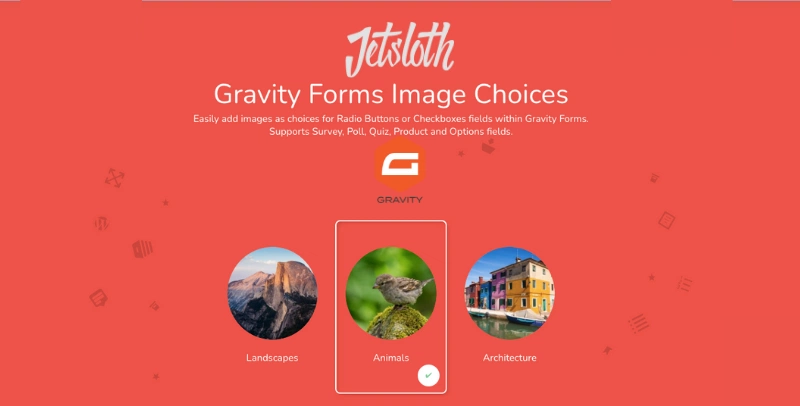
A premium add-on that replaces standard radio buttons and checkboxes in Gravity Forms with clickable images. Instead of text-only options, users can visually select from pictures, icons, or graphics, making forms more engaging, interactive, and user-friendly. Perfect for product selection, surveys, polls, and any form where visual choices improve clarity and boost conversions.

Gravity Forms Image Choices – Jetsloth
A premium add-on that enhances Gravity Forms by allowing you to replace standard radio buttons and checkboxes with images. Instead of plain text options, users can visually select from pictures, icons, or graphics—making forms more engaging, interactive, and user-friendly.


🌐 Overview

  • Purpose: Transform form choices into clickable images for better design and usability.
  • Developer: Jetsloth (specialised in Gravity Forms enhancements).
  • Audience: Designers, marketers, and businesses wanting visually appealing forms that improve user interaction.

🔑 Key Features

  • Image-Based Choices: Replace radio buttons and checkboxes with images or icons.
  • Customizable Layouts: Control image size, alignment, and styling to match your brand.
  • Multiple Field Types: Works with radio, checkbox, and survey fields.
  • Improved UX: Users select options visually, reducing confusion and boosting engagement.
  • Mobile-Friendly: Responsive design ensures images look great on all devices.
  • Seamless Integration: Works with other Jetsloth add-ons for enhanced form design.

⚙️ How It Works

  1. Install Plugin: Activate Image Choices by Jetsloth.
  2. Add Fields: Create radio or checkbox fields in Gravity Forms.
  3. Upload Images: Assign images to each choice option.
  4. Customise Layout: Adjust styling, alignment, and image sizes.
  5. Publish Form: Users now select options by clicking images instead of text.

📊 Comparison Table

Feature Image Choices (Jetsloth) Standard Gravity Forms
Choice Display Images/icons Text only
User Engagement Higher (visual selection) Lower (plain options)
Customization Flexible layouts Limited
Best Use Case Visual surveys, product selection General forms

⚠️ Considerations & Limitations

  • Paid Add-On: Requires purchase from Jetsloth.
  • Not bundled with Gravity Forms license: Sold separately.
  • Image prep required: You’ll need suitable images/icons for each choice.

✅ Best For

  • E-commerce forms (product selection by image).
  • Surveys and polls with visual options.
  • Event registrations (choose seating, packages, or activities visually).
  • Creative agencies designing branded, interactive forms.

In short, Jetsloth’s Image Choices add-on makes Gravity Forms more engaging by turning text-based options into clickable images, improving usability and boosting conversions.

🛠️ How to Install GPL Themes & Plugins from GPLFox.com


1. Download Your Theme or Plugin

  • Visit GPLFox.com and log in to your account.
  • Browse or search for the theme/plugin you want.
  • Click Download to get the .zip file onto your computer.

2. Install via WordPress Dashboard

  • Log in to your WordPress Admin Panel.
  • Go to:
    • ThemesAppearance > Themes > Add New > Upload Theme
    • PluginsPlugins > Add New > Upload Plugin
  • Click Upload, then select the .zip file you downloaded from GPLFox.
  • Press Install Now.

3. Activate the Theme or Plugin

  • Once installed, click Activate.
  • For themes: your site will immediately switch to the new design.
  • For plugins: the plugin will be enabled and ready to configure.

4. Configure Settings

  • Most premium themes/plugins include customization options.
  • Navigate to the theme’s Customizer or plugin’s Settings panel.
  • Adjust layouts, features, and integrations as needed.

5. Keep Files Updated

  • GPLFox provides updated versions regularly.
  • Re‑download the latest .zip from GPLFox and repeat the upload process to update your theme/plugin.

Tip for Users: Since GPL products don’t require license activation, you can use them right away after installation. Just make sure to keep them up to date for security and compatibility.

Need Hosting Solution ?