Gravity Forms Fetcher – Jetsloth
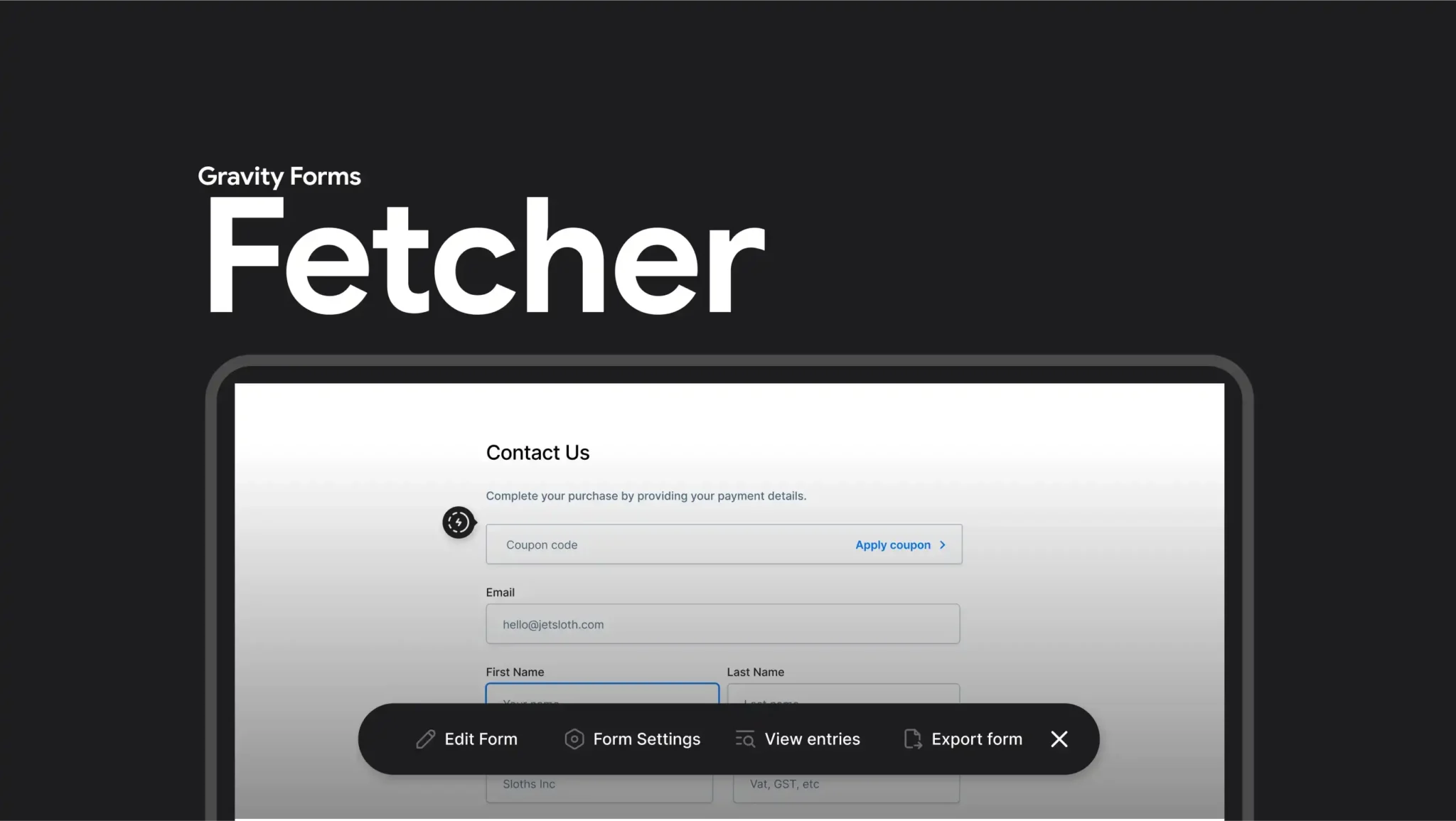
A premium add-on that makes managing multiple Gravity Forms faster and more organised. It adds a spotlight-style search bar, inline quick links, favourites, and nested folders so you can instantly find, access, and edit forms without scrolling through long lists. Perfect for agencies, admins, and businesses with many forms, it streamlines workflows and saves time by turning cluttered form management into a clean, efficient process.
Gravity Forms Fetcher – Jetsloth is a premium add-on designed to streamline managing multiple Gravity Forms. It introduces powerful tools like quick inline links, a spotlight-style search bar, favorites, and nested folders, making it faster and easier to organize, access, and edit forms—ideal for sites with dozens or hundreds of forms. Gravity Forms
🌐 Overview
Purpose: Simplify and speed up Gravity Forms management.
Developer: Jetsloth specialises in Gravity Forms enhancements.
Audience: WordPress admins, agencies, and businesses managing large numbers of forms.
🔑 Key Features
Fetcher Bar: Use keyboard shortcuts (Ctrl/Cmd + Shift + F) to search and access forms instantly.
Favourites: Start your most-used forms so they appear instantly for quick access.
Inline Quick Links: Add icons next to forms for immediate access to editing, entries, exports, and settings.
Nested Folders: Organise forms into folders and subfolders with drag-and-drop functionality.
Workflow Efficiency: Reduce time spent digging through long lists of forms.
Admin-Friendly: Only logged-in admins see Fetcher icons and tools, keeping the front-end clean.
⚙️ How It Works
Install Plugin: Activate Fetcher by Jetsloth.
Access Fetcher Bar: Use the shortcut to find forms quickly.
Organise Forms: Create folders, then drag forms into them.
Use Inline Links: Click icons next to forms for instant editing or exporting.
Star Favourites: Mark frequently used forms for one-click access.
📊 Comparison Table
Feature
Fetcher (Jetsloth)
Standard Gravity Forms
Form Search
Spotlight-style Fetcher Bar
Manual scrolling
Favorites
Yes (starred forms)
No
Inline Quick Links
Edit, entries, export icons
LimitedOrganization
n
Nested folders
Flat list only
Efficiency
High (keyboard + icons)
Moderate
⚠️ Considerations & Limitations
Paid Add-On: Requires purchase from Jetsloth.
Not bundled with Gravity Forms license: Sold separately.
Best for large sites: Smaller sites with only a few forms may not need Fetcher.
✅ Best For
Agencies managing multiple client forms.
Businesses with complex workflows and many forms.
Educational institutions handle numerous registration or survey forms.
High-traffic sites need quick access to form data and exports.
In short, Jetsloth’s Fetcher add-on is a productivity tool for Gravity Forms admins, turning cluttered form lists into organized, searchable, and easily accessible structures—saving time and improving workflow efficiency.
🛠️ How to Install GPL Themes & Plugins from GPLFox.com
Click Upload, then select the .zip file you downloaded from GPLFox.
Press Install Now.
3. Activate the Theme or Plugin
Once installed, click Activate.
For themes: your site will immediately switch to the new design.
For plugins: the plugin will be enabled and ready to configure.
4. Configure Settings
Most premium themes/plugins include customization options.
Navigate to the theme’s Customizer or plugin’s Settings panel.
Adjust layouts, features, and integrations as needed.
5. Keep Files Updated
GPLFox provides updated versions regularly.
Re‑download the latest .zip from GPLFox and repeat the upload process to update your theme/plugin.
✅ Tip for Users: Since GPL products don’t require license activation, you can use them right away after installation. Just make sure to keep them up to date for security and compatibility.



 2 × $2.99