
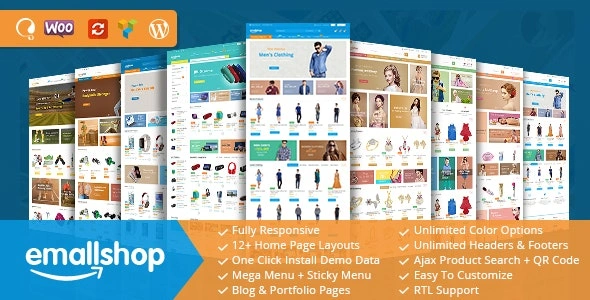

Description
EmallShop – Multipurpose WooCommerce WordPress Theme
EmallShop is a premium, multipurpose WooCommerce theme designed to power modern online stores across industries. With a clean, responsive design and a wide range of pre‑built demos, it helps entrepreneurs, agencies, and retailers quickly launch professional e‑commerce websites. Built for speed, flexibility, and conversion, EmallShop combines WooCommerce integration with advanced customization options to deliver a seamless shopping experience.
🌐 Overview
- Purpose: Create multipurpose online shops with WooCommerce.
- Audience: Entrepreneurs, agencies, retailers, and e‑commerce businesses.
- Platform: WordPress + WooCommerce.
🔑 Key Features
- Pre‑Built Demos: Ready‑made layouts for fashion, electronics, furniture, cosmetics, and more.
- Responsive Design: Mobile‑friendly and optimized for all devices.
- WooCommerce Integration: Full support for product pages, carts, checkout, and payment gateways.
- Drag‑and‑Drop Builder: Easy customization with Elementor or WPBakery.
- Mega Menu Support: Showcase categories and products with advanced navigation.
- Product Showcase Options: Grid, list, quick view, and wishlist features.
- SEO‑Friendly: Optimized code and structure for better rankings.
- Multi‑Language & RTL Ready: Supports global audiences with WPML compatibility.
- Advanced Filters: Product search by attributes, price, and categories.
- Fast Performance: Lightweight design for speed and reliability.
📊 Benefits
| Feature | Standard WooCommerce Theme | EmallShop Theme |
|---|---|---|
| Industry Coverage | Limited demos | Multipurpose demos across niches |
| Customization | Basic options | Drag‑and‑drop builder + mega menus |
| Shopping Experience | Standard WooCommerce | Enhanced product showcase & filters |
| Global Reach | Minimal | WPML + RTL support |
| Performance | Average | Optimized for speed & SEO |
⚠️ Considerations
- Requires WooCommerce: Must be installed and active.
- Premium License: Needed for full features and updates.
- Demo Import: Content should be customized to match your brand.
✅ Best For
- Fashion stores showcase apparel and accessories.
- Electronics shops selling gadgets and devices.
- Furniture retailers with product catalogs.
- Cosmetics & lifestyle brands targeting global audiences.
- Agencies building multipurpose e‑commerce sites for clients.
In short, EmallShop is a versatile WooCommerce theme that combines responsive design, powerful customization, and multipurpose demos—making it an ideal choice for businesses and agencies looking to launch professional online stores quickly.









Reviews
There are no reviews yet.