Latest Version

Divi WordPress Theme

Buy This Single Latest Version From Here

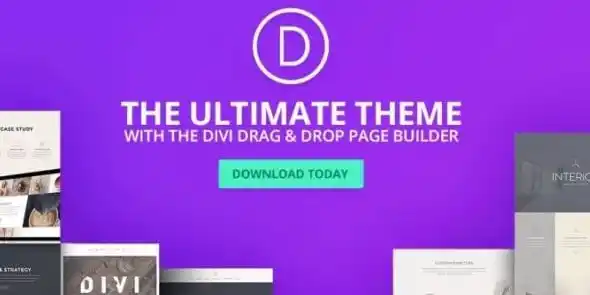
Divi WordPress Theme & Visual Builder: A powerful WordPress theme and drag‑and‑drop builder with 2,600+ layouts, global design presets, and WooCommerce integration. Perfect for businesses, agencies, and freelancers seeking responsive, professional websites.

Description

Divi WordPress Theme is one of the most popular WordPress themes and visual page builders, offering a complete design framework that combines a customizable theme with a powerful drag‑and‑drop builder. It allows users to build entire websites visually—without coding—using thousands of layouts, global design systems, and dynamic content integration.


🌐 Overview

  • Purpose: Create professional websites with full visual control.
  • Audience: Small businesses, startups, agencies, freelancers, bloggers, and e‑commerce stores.
  • Integration: Works seamlessly with WordPress, WooCommerce, and popular plugins.
  • Dual Nature: Functions both as a theme (site‑wide design system) and a builder (page/post editor).

🔑 Key Features

  • Visual Drag‑and‑Drop Builder: Edit pages live with text, images, videos, forms, and modules.
  • Theme Builder: Customize headers, footers, and templates globally.
  • Pre‑Built Layouts: Access 2,600+ layouts and thousands of designs for quick site creation.
  • Global Styles & Presets: Maintain consistent typography, colors, and branding across the site.
  • Dynamic Content: Integrate WordPress posts, WooCommerce products, and custom fields.
  • AI‑Powered Tools: Quick Sites and design assistants speed up workflows.
  • Responsive Design: Optimized for desktop, tablet, and mobile.
  • Divi Cloud: Save and reuse designs across multiple projects.
  • Marketplace: Access third‑party modules, child themes, and extensions.

📊 Comparison Table

Feature Standard WordPress Theme Divi Theme & Builder
Customization Limited CSS/PHP editing Full visual drag‑and‑drop builder
Layouts Few templates 2,600+ pre‑built layouts
Global Styles Manual setup Built‑in global presets
Dynamic Content Basic Advanced integration with posts/products
Ease of Use Moderate Beginner‑friendly, no coding required

⚠️ Considerations

  • Learning Curve: Beginners may need time to explore advanced features.
  • Performance: Heavy designs can slow sites if not optimized.
  • Licensing: Divi is a premium product from Elegant Themes and requires a membership.

✅ Best For

  • Agencies & freelancers building multiple client sites.
  • Small businesses/startups need quick, professional websites.
  • E‑commerce stores using WooCommerce for product pages.
  • Bloggers & publishers seeking flexible layouts and global styling.

In short, Divi is a complete WordPress ecosystem—theme + builder—that empowers users to design visually, launch faster, and maintain consistent branding across websites. Elegant Themes

Reviews

There are no reviews yet.

Only logged in customers who have purchased this product may leave a review.

🛠️ How to Install GPL Themes & Plugins from GPLFox.com

1. Download Your Theme or Plugin

  • Visit GPLFox.com and log in to your account.
  • Browse or search for the theme/plugin you want.
  • Click Download to get the .zip file onto your computer.

2. Install via WordPress Dashboard

  • Log in to your WordPress Admin Panel.
  • Go to:
    • ThemesAppearance > Themes > Add New > Upload Theme
    • PluginsPlugins > Add New > Upload Plugin
  • Click Upload, then select the .zip file you downloaded from GPLFox.
  • Press Install Now.

3. Activate the Theme or Plugin

  • Once installed, click Activate.
  • For themes: your site will immediately switch to the new design.
  • For plugins: the plugin will be enabled and ready to configure.

4. Configure Settings

  • Most premium themes/plugins include customization options.
  • Navigate to the theme’s Customizer or plugin’s Settings panel.
  • Adjust layouts, features, and integrations as needed.

5. Keep Files Updated

  • GPLFox provides updated versions regularly.
  • Re‑download the latest .zip from GPLFox and repeat the upload process to update your theme/plugin.

Tip for Users: Since GPL products don’t require license activation, you can use them right away after installation. Just make sure to keep them up to date for security and compatibility.


Need Hosting Solution ?
Shopping cart1
Pixelpiernyc – Creative Agency and Portolio
Pixelpiernyc – Creative Agency and PortolioUSD2.99
Total
USD2.99
Continue shopping
1