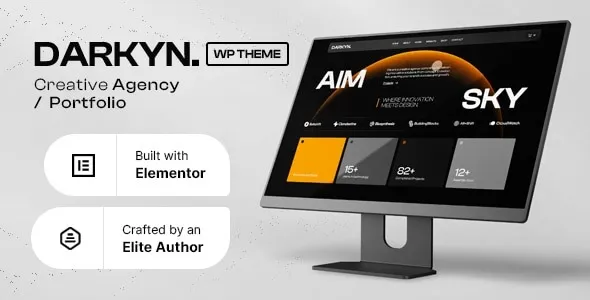
🎨 Darkyn – Creative Agency WordPress Theme
Darkyn is a bold, modern, and fully responsive WordPress theme built for creative agencies, studios, freelancers, and digital professionals who want to showcase their work with impact. With its sleek, dark aesthetic and versatile layouts, Darkyn helps you present portfolios, services, and case studies in a way that captivates clients and sets your brand apart.
✨ Key Features
- Stylish Dark Design – A contemporary look that emphasizes creativity and professionalism.
- One‑Click Demo Import – Launch your site instantly with ready‑made demo content.
- Responsive & Retina Ready – Optimized for all devices, ensuring flawless display on desktops, tablets, and mobiles.
- Portfolio Showcase – Multiple layouts to highlight projects, case studies, and creative work.
- Service & About Pages – Dedicated sections to present your agency’s expertise and team members.
- Blog Integration – Share insights, updates, and industry trends with a modern blog layout.
- Drag‑and‑Drop Builder Compatibility – Customize pages easily with popular page builders.
- Unlimited Colors & Fonts – Tailor typography and palettes to match your brand identity.
- SEO Optimized – Clean code and best practices to help your agency rank higher in search results.
- Fast Loading & Lightweight – Smooth performance for a better user experience.
- Cross‑Browser Compatibility – Tested across all major browsers for consistent performance.
- Regular Updates & Support – Stay secure and up‑to‑date with ongoing improvements.
🎯 Who Is It For?
- Creative agencies and studios looking for a professional online presence
- Freelancers and designers showcasing portfolios and services
- Digital marketers and branding experts presenting case studies and client work
- Startups and businesses needing a stylish, modern website
🌍 Why Choose Darkyn?
Darkyn combines creativity, functionality, and performance in one theme. Its dark, elegant design makes portfolios and agency websites stand out, while its flexible customization options ensure your site reflects your unique brand identity.
🛠️ How to Install GPL Themes & Plugins from GPLFox.com
1. Download Your Theme or Plugin
- Visit GPLFox.com and log in to your account.
- Browse or search for the theme/plugin you want.
- Click Download to get the
.zip file onto your computer.
2. Install via WordPress Dashboard
- Log in to your WordPress Admin Panel.
- Go to:
- Themes → Appearance > Themes > Add New > Upload Theme
- Plugins → Plugins > Add New > Upload Plugin
- Click Upload, then select the
.zip file you downloaded from GPLFox. - Press Install Now.
3. Activate the Theme or Plugin
- Once installed, click Activate.
- For themes: your site will immediately switch to the new design.
- For plugins: the plugin will be enabled and ready to configure.
4. Configure Settings
- Most premium themes/plugins include customization options.
- Navigate to the theme’s Customizer or plugin’s Settings panel.
- Adjust layouts, features, and integrations as needed.
5. Keep Files Updated
- GPLFox provides updated versions regularly.
- Re‑download the latest
.zip from GPLFox and repeat the upload process to update your theme/plugin.
✅ Tip for Users: Since GPL products don’t require license activation, you can use them right away after installation. Just make sure to keep them up to date for security and compatibility.