Description
Cryco – ICO & Crypto Landing WordPress Theme is a sleek, modern, and fully responsive WordPress theme designed for cryptocurrency projects, ICO launches, blockchain startups, NFT marketplaces, and fintech businesses. Built with Elementor and optimized for performance, Cryco delivers powerful crypto‑specific features, elegant landing page layouts, and SEO‑friendly architecture—making it the perfect solution for promoting token sales, showcasing blockchain services, and building a professional digital finance presence.
🌐 Overview
Cryco is a crypto landing page WordPress theme tailored for ICO campaigns and blockchain projects. It offers multiple homepage demos, token sale tools, crypto widgets, and WooCommerce integration—ideal for startups, crypto traders, and communities looking to launch or promote their digital assets. Its mobile‑friendly design ensures smooth browsing and conversion experiences across desktops, tablets, and smartphones.
✨ Key Features
- Crypto & ICO Tools
- Token sale countdowns and distribution pages
- Cryptocurrency charts, exchange rates, and price widgets
- Wallet integration and payment gateways for crypto transactions
- WooCommerce support for selling tokens, NFTs, or merchandise
- Blog layouts for crypto news, trading tips, and blockchain updates
- Customization Options
- Built with Elementor for drag‑and‑drop editing
- Multiple homepage demos tailored for ICOs and crypto projects
- Unlimited color schemes and typography controls
- Flexible header, footer, and menu layouts
- One‑click demo import for instant setup
- Community & Engagement Tools
- Contact and subscription forms for lead generation
- Social media integration for crypto communities
- Newsletter signup for community growth
- Testimonials and review sections to build credibility
- Performance & Compatibility
- Optimized for speed and responsive across all devices
- Compatible with WordPress 6.x, WooCommerce, and PHP 8.x
- Lightweight code for faster loading times
- SEO & Global Support
- SEO‑friendly structure for higher search engine rankings
- Translation‑ready and WPML compatible
- RTL (Right‑to‑Left) language support for global accessibility
🎯 Why Choose Cryco?
Cryco is more than just a theme—it’s a complete ICO and crypto landing solution. Its combination of modern design, Elementor customization, crypto widgets, token sale tools, WooCommerce integration, SEO optimization, and multilingual readiness, including RTL support, makes it perfect for blockchain startups, ICO campaigns, and crypto entrepreneurs aiming to build a professional digital presence.
📌 Ideal Use Cases
- ICO launch and token distribution pages
- Cryptocurrency websites and trading platforms
- Blockchain startups and fintech companies
- NFT marketplaces and digital art galleries
- Crypto blogs and educational portals
Only logged in customers who have purchased this product may leave a review.

 2 × USD2.99
 1 × USD2.99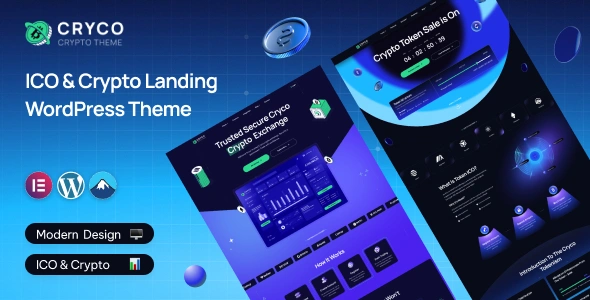










Reviews
There are no reviews yet.