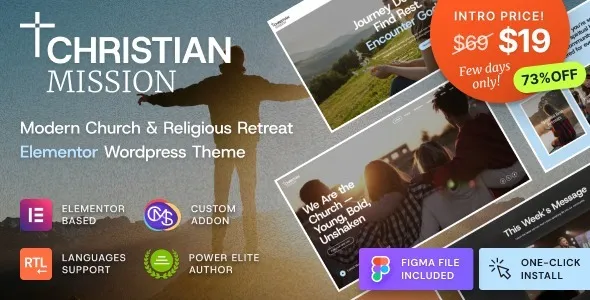
Christian Mission – Religious Events & Retreats Church WordPress Theme is a warm, faith-centered, and fully responsive WordPress theme designed for churches, ministries, religious organizations, and spiritual retreat centers. With its elegant layouts and powerful features, Christian Mission helps communities share sermons, promote events, collect donations, and inspire members through a professional online presence.
✝️ Key Features
- Church & Ministry-Oriented Design
Tailored layouts for churches, ministries, religious retreats, and faith-based organizations.
- Event & Retreat Management
Showcase upcoming religious events, retreats, prayer meetings, and community programs with structured templates.
- Sermon & Media Sharing
Publish sermons, lectures, and worship sessions in audio, video, or text formats.
- Donation & Fundraising System
Integrated online donation features to support church activities, retreats, and charitable causes.
- Community Engagement Tools
Contact forms, newsletters, and member registration options to strengthen communication with congregations.
- Full Site Editing (FSE)
Built with WordPress block editor and FSE support, enabling complete customization of headers, footers, and layouts without coding.
- Responsive & Mobile-Friendly
Optimized for desktops, tablets, and smartphones, ensuring smooth browsing experiences across all devices.
- WooCommerce Integration
Sell religious books, merchandise, retreat tickets, or digital resources directly through your site.
- Blog & Content Options
Share devotionals, spiritual articles, and community updates with customizable blog layouts.
- One-Click Demo Import
Quickly replicate demo designs and launch your church or retreat website with minimal effort.
⚙️ Technical Highlights
- Compatible with WordPress 6+
- Built with FSE & Block Editor for advanced customization
- WooCommerce-ready for e-commerce functionality
- Retina-ready and translation-ready
- SEO-friendly structure for better search visibility
- Lightweight and fast-loading performance
- Regular updates and documentation support
🎯 Why Choose Christian Mission?
Christian Mission is perfect for churches, ministries, religious retreats, and faith-based organizations that want a professional, inspiring, and easy-to-manage website. Its event management, sermon sharing, donation system, WooCommerce integration, and FSE customization make it a complete solution for promoting spiritual activities, engaging congregations, and growing your ministry online.
🛠️ How to Install GPL Themes & Plugins from GPLFox.com
1. Download Your Theme or Plugin
- Visit GPLFox.com and log in to your account.
- Browse or search for the theme/plugin you want.
- Click Download to get the
.zip file onto your computer.
2. Install via WordPress Dashboard
- Log in to your WordPress Admin Panel.
- Go to:
- Themes → Appearance > Themes > Add New > Upload Theme
- Plugins → Plugins > Add New > Upload Plugin
- Click Upload, then select the
.zip file you downloaded from GPLFox. - Press Install Now.
3. Activate the Theme or Plugin
- Once installed, click Activate.
- For themes: your site will immediately switch to the new design.
- For plugins: the plugin will be enabled and ready to configure.
4. Configure Settings
- Most premium themes/plugins include customization options.
- Navigate to the theme’s Customizer or plugin’s Settings panel.
- Adjust layouts, features, and integrations as needed.
5. Keep Files Updated
- GPLFox provides updated versions regularly.
- Re‑download the latest
.zip from GPLFox and repeat the upload process to update your theme/plugin.
✅ Tip for Users: Since GPL products don’t require license activation, you can use them right away after installation. Just make sure to keep them up to date for security and compatibility.