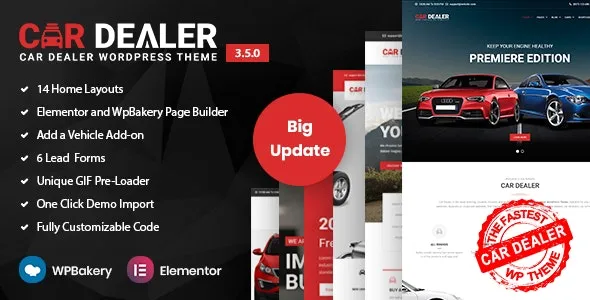
Car Dealer Automotive WordPress Theme – Responsive is a powerful, feature-rich theme designed specifically for car dealerships, automotive companies, and vehicle marketplaces. It provides a complete solution for showcasing cars, managing inventory, and enabling online sales or rentals, all within a sleek, responsive design that works flawlessly across devices.
🚗 Key Features of Car Dealer Theme
1. Purpose-Built Design
- Target Audience: Car dealerships, automotive resellers, vehicle rental agencies, and classified car listing websites.
- Professional Layouts: Clean, modern, and responsive design optimized for mobile and desktop.
- Prebuilt Demos: Multiple homepage and inner page templates tailored for automotive businesses.
2. Inventory & Listing Management
- Advanced Vehicle Listings: Showcase cars with detailed specifications, pricing, and images.
- Search & Filter Options: Customers can filter by make, model, year, price, mileage, and more.
- Comparison Tools: Allow users to compare multiple vehicles side by side.
3. eCommerce & Business Tools
- WooCommerce Integration: Sell cars, parts, or accessories directly online.
- Booking & Inquiry Forms: Streamlined communication for test drives, rentals, or purchase inquiries.
- Finance & Loan Calculator: Helps customers estimate payments and affordability.
4. Customization & Flexibility
- Elementor & WPBakery Support: Drag-and-drop customization without coding.
- Unlimited Colors & Fonts: Tailor the look to match your dealership’s brand identity.
- Multiple Layouts: Blog feeds, galleries, and portfolio options for versatile content presentation.
5. User Experience Enhancements
- Responsive & Retina Ready: Ensures flawless performance across all devices.
- SEO-Friendly Structure: Optimized for search engines to attract organic traffic.
- Multilingual Support: Compatible with WPML for global audiences.
6. Extra Functionalities
- Car Comparison & Wishlist: Enhance customer engagement and decision-making.
- Dealer Profiles: Showcase multiple dealerships or agents with contact details.
- Blog & News Sections: Share automotive tips, dealership updates, or industry news.
📊 Quick Overview Table
| Feature |
Benefit |
| Vehicle Listings |
Showcase cars with detailed specs |
| Search & Filters |
Easy navigation for customers |
| WooCommerce |
Sell cars, parts, or accessories |
| Finance Calculator |
Helps customers plan purchases |
| Elementor/WPBakery |
Easy drag-and-drop customization |
| SEO-Friendly |
Better visibility on Google |
| Responsive Design |
Works perfectly on all devices |
🌟 Why Choose Car Dealer Theme?
Car Dealer is more than just a theme—it’s a complete automotive business solution. With its advanced inventory system, eCommerce integration, and responsive design, it helps dealerships and automotive companies build a professional online presence, attract customers, and manage sales seamlessly. Whether you’re selling cars, renting vehicles, or running a marketplace, Car Dealer provides the tools and flexibility you need.
🛠️ How to Install GPL Themes & Plugins from GPLFox.com
1. Download Your Theme or Plugin
- Visit GPLFox.com and log in to your account.
- Browse or search for the theme/plugin you want.
- Click Download to get the
.zip file onto your computer.
2. Install via WordPress Dashboard
- Log in to your WordPress Admin Panel.
- Go to:
- Themes → Appearance > Themes > Add New > Upload Theme
- Plugins → Plugins > Add New > Upload Plugin
- Click Upload, then select the
.zip file you downloaded from GPLFox. - Press Install Now.
3. Activate the Theme or Plugin
- Once installed, click Activate.
- For themes: your site will immediately switch to the new design.
- For plugins: the plugin will be enabled and ready to configure.
4. Configure Settings
- Most premium themes/plugins include customization options.
- Navigate to the theme’s Customizer or plugin’s Settings panel.
- Adjust layouts, features, and integrations as needed.
5. Keep Files Updated
- GPLFox provides updated versions regularly.
- Re‑download the latest
.zip from GPLFox and repeat the upload process to update your theme/plugin.
✅ Tip for Users: Since GPL products don’t require license activation, you can use them right away after installation. Just make sure to keep them up to date for security and compatibility.