

Description
BWD Filterable Gallery – Addon for Elementor
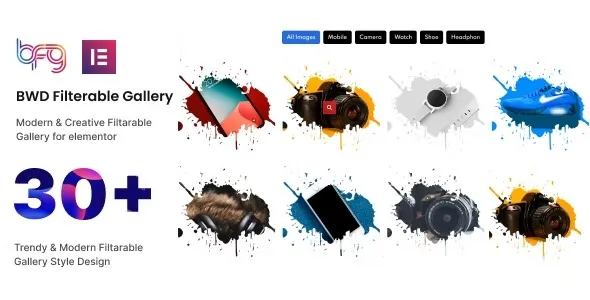
BWD Filterable Gallery is a premium WordPress addon for Elementor that lets you create stylish, interactive galleries with advanced filtering options. It’s perfect for agencies, photographers, designers, bloggers, and e‑commerce stores that want to showcase portfolios, products, or images in a professional and user‑friendly way.
🌐 Overview
- Purpose: Build filterable, customizable galleries with Elementor.
- Audience: Agencies, creatives, bloggers, and businesses.
- Integration: Works seamlessly with Elementor’s drag‑and‑drop editor.
🔑 Key Features
- Filterable Categories: Organize images or items into categories with dynamic filters.
- Multiple Layouts: Grid, masonry, justified, and creative gallery styles.
- Customizable Styling: Control colors, typography, spacing, and hover effects.
- Lightbox Support: Display images in pop‑up lightboxes with navigation.
- Interactive Hover Effects: Smooth transitions and animations for engaging visuals.
- Responsive Design: Optimized for mobile, tablet, and desktop.
- WooCommerce Integration: Showcase product galleries with category filters.
- Performance Optimized: Lightweight code for fast-loading galleries.
⚙️ How It Works
- Install & Activate: Add the addon to your WordPress site.
- Open Elementor: Access the Filterable Gallery widget.
- Add Content: Upload images or products and assign categories.
- Customize Layout: Choose grid, masonry, or creative styles.
- Apply Styling: Adjust fonts, colors, hover effects, and animations.
- Publish: Display interactive, filterable galleries on your site.
📊 Comparison Table
| Feature | Default Elementor | BWD Filterable Gallery |
|---|---|---|
| Gallery Layouts | Basic | Grid, masonry, justified |
| Category Filters | No | Yes |
| Lightbox Support | Limited | Full integration |
| Hover Effects | Minimal | Advanced animations |
| Responsive Design | Partial | Fully optimized |
⚠️ Considerations
- Requires Elementor: Works only with Elementor installed.
- Premium License: Advanced layouts and filters may require the Pro version.
- Manual Setup: Categories must be assigned individually.
✅ Best For
- Agencies & freelancers showcasing client portfolios.
- Photographers & designers presenting creative work.
- E‑commerce stores displaying product galleries with filters.
- Bloggers & content creators organizing visual content professionally.
In short, BWD Filterable Gallery for Elementor is a versatile addon that transforms simple galleries into interactive, filterable showcases—ideal for portfolios, products, and creative content.











Reviews
There are no reviews yet.