

0
$0.00

Select Currency

Download All Products Free With Any Membership Plan

Latest Version

Bookly PRO – Appointment Booking and Scheduling Software System

Buy This Single Latest Version From Here

Limited Time Offer

$2.99

Sales Ongoing

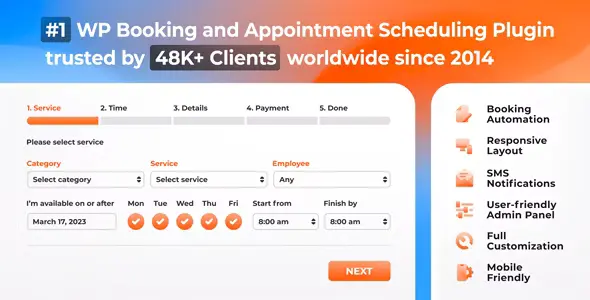
Bookly PRO – Appointment Booking and Scheduling Software System is a premium WordPress plugin that automates online appointment booking and scheduling. With customizable booking forms, integrated payment gateways, SMS/email notifications, Google Calendar sync, and WooCommerce support, it helps service-based businesses streamline scheduling, reduce no-shows, and deliver a seamless booking experience for clients.

Bookly PRO – Appointment Booking and Scheduling Software System

Bookly PRO is a premium WordPress plugin that delivers a fully automated online booking and scheduling solution for businesses of all sizes. With its customizable booking form, integrated payment gateways, and advanced notifications, Bookly PRO helps service providers streamline appointment management, reduce no-shows, and improve customer satisfaction. Trusted by over 70,000 businesses worldwide, it’s the ultimate tool for salons, clinics, consultants, fitness centers, and any service-based business.


🌟 Key Features of Bookly PRO

1. Booking & Scheduling

  • Customizable Booking Form: Tailor fields and steps to match your business needs.
  • Unlimited Services & Staff: Manage multiple staff members and services with ease.
  • Flexible Time Slots: Offer customizable schedules, breaks, and holidays.
  • Recurring Appointments: Allow clients to book repeating sessions.

2. Payments & Notifications

  • Online Payments: Accept payments via PayPal, Stripe, Authorize.Net, and more.
  • SMS & Email Notifications: Send automated reminders and confirmations.
  • Deposit & Prepayment Options: Secure bookings with upfront payments.
  • Discounts & Coupons: Run promotions to attract new clients.

3. Customer Management

  • Client Database: Store and manage customer details in one place.
  • Booking History: Track past and upcoming appointments.
  • User Accounts: Allow clients to manage their bookings online.
  • Group Bookings: Enable multiple participants per appointment.

4. Workflow Efficiency

  • Google Calendar Sync: Keep staff schedules updated automatically.
  • WooCommerce Integration: Sell services as products with checkout flexibility.
  • Multi-Language Support: Serve global audiences with translated booking forms.
  • Responsive Design: Optimized for desktop, tablet, and mobile.

📊 Quick Overview Table

Feature Benefit
Customizable Booking Form Tailor the booking process to your business
Online Payments Accept secure payments directly on your site
SMS & Email Notifications Reduce no-shows with automated reminders
Google Calendar Sync Keep staff schedules updated in real time
Client Database Manage customer records and booking history
WooCommerce Integration Sell services with flexible checkout options

🌟 Why Choose Bookly PRO?

Bookly PRO transforms your WordPress site into a complete appointment booking system. By automating scheduling, payments, and notifications, it saves time for both businesses and clients while ensuring a smooth booking experience. Whether you run a salon, medical practice, consultancy, or fitness studio, Bookly PRO provides the flexibility, scalability, and reliability you need to grow your business and keep customers happy.

🛠️ How to Install GPL Themes & Plugins from GPLFox.com


1. Download Your Theme or Plugin

  • Visit GPLFox.com and log in to your account.
  • Browse or search for the theme/plugin you want.
  • Click Download to get the .zip file onto your computer.

2. Install via WordPress Dashboard

  • Log in to your WordPress Admin Panel.
  • Go to:
    • ThemesAppearance > Themes > Add New > Upload Theme
    • PluginsPlugins > Add New > Upload Plugin
  • Click Upload, then select the .zip file you downloaded from GPLFox.
  • Press Install Now.

3. Activate the Theme or Plugin

  • Once installed, click Activate.
  • For themes: your site will immediately switch to the new design.
  • For plugins: the plugin will be enabled and ready to configure.

4. Configure Settings

  • Most premium themes/plugins include customization options.
  • Navigate to the theme’s Customizer or plugin’s Settings panel.
  • Adjust layouts, features, and integrations as needed.

5. Keep Files Updated

  • GPLFox provides updated versions regularly.
  • Re‑download the latest .zip from GPLFox and repeat the upload process to update your theme/plugin.

Tip for Users: Since GPL products don’t require license activation, you can use them right away after installation. Just make sure to keep them up to date for security and compatibility.

Need Hosting Solution ?
0



