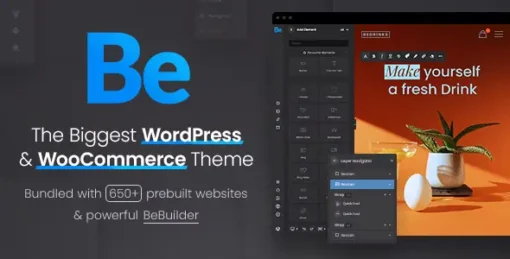
Betheme – Responsive Multipurpose WordPress & WooCommerce Theme is one of the most powerful and versatile WordPress themes available, designed to build virtually any type of website with ease. With 700+ prebuilt websites, full WooCommerce integration, and advanced customization tools, Betheme is trusted by over 300,000 creators worldwide for its flexibility, speed, and professional design.
🌐 Overview
Betheme is a multipurpose WordPress and WooCommerce theme that allows you to create stunning websites without starting from scratch. It includes the BeBuilder, a blazing‑fast and intuitive website builder, along with Theme Options for complete control over design and functionality. Whether you’re building a corporate site, creative portfolio, blog, or online store, Betheme provides everything you need to launch quickly and professionally.
✨ Key Features
- 700+ Prebuilt Websites
- One‑click import for instant setup
- Covers niches like business, agency, portfolio, blog, eCommerce, education, health, and more
- BeBuilder – Advanced Website Builder
- Drag‑and‑drop editing with live preview
- Save and reuse templates, sections, and layouts
- Intuitive interface for beginners and professionals
- WooCommerce Integration
- Full support for online shops and digital products
- Product showcase layouts, quick view, wishlist, and secure checkout
- Optimized for conversions and user experience
- Customization & Flexibility
- Unlimited color schemes, fonts, and background options
- Multiple header, footer, and mega menu styles
- Advanced Theme Options panel for global control
- Performance & Usability
- Lightweight and optimized for speed
- Mobile‑friendly and retina‑ready design
- SEO‑friendly structure for higher search rankings
- Compatible with WordPress 6.9 and Elementor
- Global Support
- Translation‑ready and WPML compatible
- RTL (Right‑to‑Left) language support
- Regular updates and dedicated developer support
🎯 Why Choose Betheme?
Betheme is more than just a theme—it’s a complete website building solution. Its combination of 700+ demos, BeBuilder, WooCommerce integration, SEO optimization, and multilingual readiness makes it ideal for freelancers, agencies, and businesses aiming to build professional, conversion‑focused websites quickly.
📌 Ideal Use Cases
- Corporate and business websites
- Creative portfolios and agency sites
- Blogs and magazines
- SaaS and IT solution providers
- Online shops and WooCommerce stores
- Education, health, and nonprofit websites
🛠️ How to Install GPL Themes & Plugins from GPLFox.com
1. Download Your Theme or Plugin
- Visit GPLFox.com and log in to your account.
- Browse or search for the theme/plugin you want.
- Click Download to get the
.zip file onto your computer.
2. Install via WordPress Dashboard
- Log in to your WordPress Admin Panel.
- Go to:
- Themes → Appearance > Themes > Add New > Upload Theme
- Plugins → Plugins > Add New > Upload Plugin
- Click Upload, then select the
.zip file you downloaded from GPLFox. - Press Install Now.
3. Activate the Theme or Plugin
- Once installed, click Activate.
- For themes: your site will immediately switch to the new design.
- For plugins: the plugin will be enabled and ready to configure.
4. Configure Settings
- Most premium themes/plugins include customization options.
- Navigate to the theme’s Customizer or plugin’s Settings panel.
- Adjust layouts, features, and integrations as needed.
5. Keep Files Updated
- GPLFox provides updated versions regularly.
- Re‑download the latest
.zip from GPLFox and repeat the upload process to update your theme/plugin.
✅ Tip for Users: Since GPL products don’t require license activation, you can use them right away after installation. Just make sure to keep them up to date for security and compatibility.