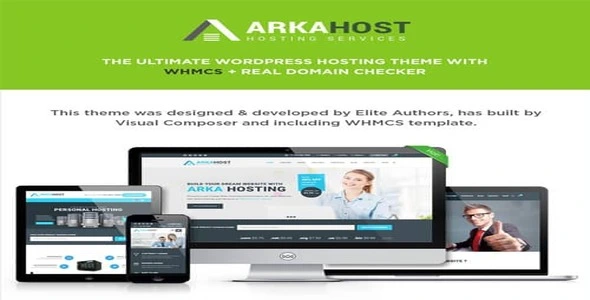
Arka Host – WHMCS Hosting, Shop & Corporate Theme is a professional, responsive, and feature-rich WordPress theme designed for web hosting companies, corporate businesses, and online shops. With seamless WHMCS integration, WooCommerce support, and powerful customization options, Arka Host provides everything needed to build a reliable hosting website, a corporate portal, or a modern eCommerce store.
🌟 Key Features of Arka Host
1. Hosting & WHMCS Integration
- WHMCS Templates: Full integration with WHMCS for managing hosting accounts, billing, and support.
- Domain Search & Registration: Built-in domain checker and registration functionality.
- Pricing Tables: Stylish layouts to present hosting packages and plans.
- Client Area: Seamless login and management for customers.
2. Corporate & Business Design
- Prebuilt Demos: Multiple homepage layouts tailored for hosting, corporate, and shop websites.
- Clean & Professional Style: Modern visuals with bold typography and smooth animations.
- Service Sections: Highlight hosting features, corporate services, or product offerings.
- Testimonials & Case Studies: Build trust with client feedback and project showcases.
3. WooCommerce Shop Integration
- Product Pages: Sell hosting services, software, or physical products.
- Cart & Checkout: Smooth shopping experience with WooCommerce.
- Flexible Shop Layouts: Grid, list, and category-based product displays.
- Sales Tools: Built-in options for promotions, featured products, and discounts.
4. Customization & Flexibility
- Drag-and-Drop Builder: Compatible with WPBakery for easy customization.
- Unlimited Colors & Fonts: Match your brand identity effortlessly.
- Header & Footer Options: Multiple layouts for navigation and branding.
- One-Click Demo Import: Launch your site quickly with prebuilt templates.
5. User Experience Enhancements
- Responsive & Retina Ready: Optimized for flawless performance across all devices.
- SEO-Friendly Structure: Built-in optimization for better search engine rankings.
- Fast Loading Speeds: Lightweight design ensures smooth browsing.
- Multilingual Support: Compatible with WPML for global audiences.
6. Extra Functionalities
- Revolution Slider Support: Create stunning hero sections and promotional banners.
- Mega Menu Support: Advanced navigation for large catalogs or service lists.
- Blog Integration: Share hosting tips, corporate updates, or industry news.
- Contact Forms: Easy communication with clients and prospects.
📊 Quick Overview Table
| Feature |
Benefit |
| WHMCS Integration |
Manage hosting accounts, billing & support |
| Domain Checker |
Enable domain search & registration |
| WooCommerce Support |
Sell services & products online |
| WPBakery Builder |
Easy drag-and-drop customization |
| SEO-Friendly |
Better visibility on Google |
| Responsive Design |
Works perfectly on all devices |
| Pricing Tables |
Showcase hosting packages clearly |
🌟 Why Choose Arka Host?
Arka Host is more than just a WordPress theme—it’s a complete hosting and corporate solution. With WHMCS integration, WooCommerce support, and professional layouts, it empowers hosting providers, IT companies, and corporate businesses to build reliable websites that attract clients and drive growth. Whether you’re running a hosting service, a corporate portal, or an online shop, Arka Host delivers the flexibility, speed, and design excellence you need.
🛠️ How to Install GPL Themes & Plugins from GPLFox.com
1. Download Your Theme or Plugin
- Visit GPLFox.com and log in to your account.
- Browse or search for the theme/plugin you want.
- Click Download to get the
.zip file onto your computer.
2. Install via WordPress Dashboard
- Log in to your WordPress Admin Panel.
- Go to:
- Themes → Appearance > Themes > Add New > Upload Theme
- Plugins → Plugins > Add New > Upload Plugin
- Click Upload, then select the
.zip file you downloaded from GPLFox. - Press Install Now.
3. Activate the Theme or Plugin
- Once installed, click Activate.
- For themes: your site will immediately switch to the new design.
- For plugins: the plugin will be enabled and ready to configure.
4. Configure Settings
- Most premium themes/plugins include customization options.
- Navigate to the theme’s Customizer or plugin’s Settings panel.
- Adjust layouts, features, and integrations as needed.
5. Keep Files Updated
- GPLFox provides updated versions regularly.
- Re‑download the latest
.zip from GPLFox and repeat the upload process to update your theme/plugin.
✅ Tip for Users: Since GPL products don’t require license activation, you can use them right away after installation. Just make sure to keep them up to date for security and compatibility.

 1 × $2.99