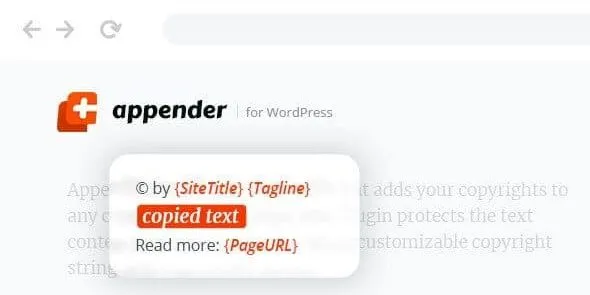
Appender – Copycat Content Protection for WordPress is a plugin that safeguards your site’s text by automatically appending customizable copyright strings whenever visitors copy content. It ensures your brand and ownership details remain attached to any copied material, discouraging plagiarism and reinforcing content protection.
🌐 Overview
- Purpose: Protect WordPress site content from unauthorized copying.
- Audience: Bloggers, publishers, businesses, and agencies concerned about content theft.
- Integration: Works seamlessly with all WordPress themes and the Gutenberg editor.
🔑 Key Features
- Customizable Copyright Strings: Add site title, tagline, website address, page title, page URL, and copy date/time.
- Flexible Placement: Insert copyright text before or after copied content.
- Theme Compatibility: Works with all WordPress themes without breaking layouts.
- Gutenberg Compliant: Fully compatible with WordPress block editor.
- Translation Ready: Includes
.pot file for localization in any language.
- RTL Support: Perfect for right-to-left languages.
- Lightweight & Fast: Smooth installation and minimal performance impact.
- Regular Updates: Maintained for compatibility with the latest WordPress versions.
⚙️ How It Works
- Install the Plugin: activate the Appender in WordPress.
- Configure Settings: Define the copyright string and choose placement (before/after copied text).
- Automatic Protection: Whenever a visitor copies text, the Plugin appends your chosen copyright details.
- Monitor & Update: Adjust settings as needed to reflect branding or legal requirements.
📊 Comparison Table
| Feature |
Appender Plugin |
Default WordPress |
| Copy Protection |
Copyright string appended |
None |
| Customizable Data |
Title, tagline, URL, date/time |
Not available |
| Theme Compatibility |
Works with all themes |
N/A |
| Translation Support |
Yes |
No |
| RTL Support |
Yes |
No |
⚠️ Considerations & Limitations
- Not a Full DRM Solution: Protects text but doesn’t prevent screenshots or manual retyping.
- User Experience: Adds extra text when copying, which may surprise visitors.
- Legal Protection: Reinforces copyright claims but doesn’t replace formal legal measures.
✅ Best For
- Bloggers protecting original articles.
- Businesses safeguarding product descriptions.
- Agencies managing client content.
- Educational sites ensure attribution for learning materials.
In short, Appender is a simple yet effective WordPress plugin that automatically attaches copyright and site details to copied text, helping protect your content from plagiarism while reinforcing brand ownership.
🛠️ How to Install GPL Themes & Plugins from GPLFox.com
1. Download Your Theme or Plugin
- Visit GPLFox.com and log in to your account.
- Browse or search for the theme/plugin you want.
- Click Download to get the
.zip file onto your computer.
2. Install via WordPress Dashboard
- Log in to your WordPress Admin Panel.
- Go to:
- Themes → Appearance > Themes > Add New > Upload Theme
- Plugins → Plugins > Add New > Upload Plugin
- Click Upload, then select the
.zip file you downloaded from GPLFox. - Press Install Now.
3. Activate the Theme or Plugin
- Once installed, click Activate.
- For themes: your site will immediately switch to the new design.
- For plugins: the plugin will be enabled and ready to configure.
4. Configure Settings
- Most premium themes/plugins include customization options.
- Navigate to the theme’s Customizer or plugin’s Settings panel.
- Adjust layouts, features, and integrations as needed.
5. Keep Files Updated
- GPLFox provides updated versions regularly.
- Re‑download the latest
.zip from GPLFox and repeat the upload process to update your theme/plugin.
✅ Tip for Users: Since GPL products don’t require license activation, you can use them right away after installation. Just make sure to keep them up to date for security and compatibility.


 1 × $2.99
 1 × $2.99
 1 × $2.99