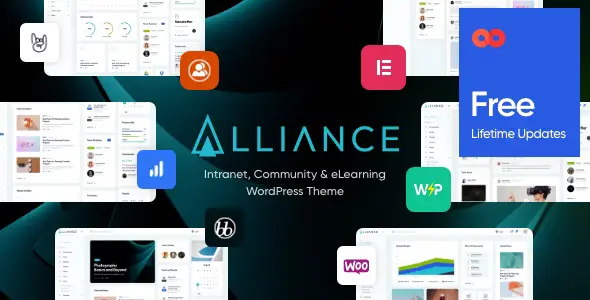
Alliance – Intranet & Extranet WordPress Theme is a professional, feature-rich theme designed to build secure, collaborative, and engaging internal networks for companies, organizations, and communities. With its modern design and powerful functionality, Alliance makes it easy to create intranet portals, extranets, corporate communication hubs, and employee collaboration platforms—all within WordPress.
🌟 Key Features of Alliance
1. Intranet & Extranet Functionality
- Corporate Communication Hub: Share company news, announcements, and updates.
- Document Sharing: Upload, manage, and distribute files securely.
- Knowledge Base: Create internal wikis, FAQs, and resource libraries.
- Private Access: Restrict content visibility to employees or members only.
2. Collaboration Tools
- BuddyPress Integration: Build social networks with profiles, activity streams, and groups.
- bbPress Support: Create forums for discussions and knowledge sharing.
- Polls & Surveys: Collect feedback and engage employees.
- Messaging System: Enable private communication between team members.
3. Productivity Enhancements
- Events & Calendars: Manage meetings, schedules, and company events.
- Task Management: Assign and track tasks within the intranet.
- Notifications & Alerts: Keep employees updated with real-time messages.
- Employee Directory: Showcase staff profiles and departments.
4. Customization & Flexibility
- Elementor & WPBakery Support: Drag-and-drop customization for layouts and pages.
- Prebuilt Demos: Ready-to-use templates for intranet, extranet, and corporate portals.
- Unlimited Colors & Fonts: Match your company’s branding effortlessly.
- One-Click Demo Import: Launch your intranet quickly.
5. User Experience Enhancements
- Responsive & Retina Ready: Optimized for flawless performance across all devices.
- SEO-Friendly Structure: Built-in optimization for better search engine visibility.
- Fast Loading Speeds: Performance-focused design for smooth browsing.
- Multilingual Support: Compatible with WPML for global organizations.
6. Extra Functionalities
- Blog & News Sections: Share updates, articles, and internal communications.
- File Management System: Organize and distribute documents efficiently.
- Gamification Support: Add badges, achievements, and rewards to boost engagement.
- Security Features: Role-based access control and safe data handling.
📊 Quick Overview Table
| Feature |
Benefit |
| Intranet & Extranet Tools |
Build secure internal networks |
| BuddyPress & bbPress |
Social networking & forums |
| Events & Calendars |
Manage meetings & schedules |
| Employee Directory |
Showcase staff profiles |
| Elementor/WPBakery |
Easy drag-and-drop customization |
| SEO-Friendly |
Better visibility on Google |
| Responsive Design |
Works perfectly on all devices |
🌟 Why Choose Alliance?
Alliance is more than just a theme—it’s a complete intranet and extranet solution. With its collaboration tools, productivity features, and secure access options, it empowers organizations to streamline communication, enhance teamwork, and build strong internal communities. Whether you’re a corporation, educational institution, or non-profit, Alliance provides the flexibility and design excellence to create a professional digital workplace.
🛠️ How to Install GPL Themes & Plugins from GPLFox.com
1. Download Your Theme or Plugin
- Visit GPLFox.com and log in to your account.
- Browse or search for the theme/plugin you want.
- Click Download to get the
.zip file onto your computer.
2. Install via WordPress Dashboard
- Log in to your WordPress Admin Panel.
- Go to:
- Themes → Appearance > Themes > Add New > Upload Theme
- Plugins → Plugins > Add New > Upload Plugin
- Click Upload, then select the
.zip file you downloaded from GPLFox. - Press Install Now.
3. Activate the Theme or Plugin
- Once installed, click Activate.
- For themes: your site will immediately switch to the new design.
- For plugins: the plugin will be enabled and ready to configure.
4. Configure Settings
- Most premium themes/plugins include customization options.
- Navigate to the theme’s Customizer or plugin’s Settings panel.
- Adjust layouts, features, and integrations as needed.
5. Keep Files Updated
- GPLFox provides updated versions regularly.
- Re‑download the latest
.zip from GPLFox and repeat the upload process to update your theme/plugin.
✅ Tip for Users: Since GPL products don’t require license activation, you can use them right away after installation. Just make sure to keep them up to date for security and compatibility.