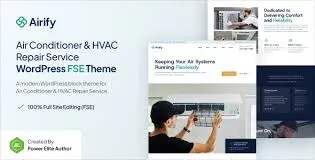
Airify – HVAC Repair Service FSE WordPress Theme is a professional, modern, and fully responsive WordPress theme built with Full Site Editing (FSE). Designed specifically for HVAC companies, air conditioning repair services, heating contractors, and ventilation specialists, Airify provides industry-focused layouts and powerful features to help businesses showcase services, manage appointments, and build trust with clients online.
❄️ Key Features
- HVAC & Repair-Oriented Design
Tailored layouts for heating, cooling, ventilation, and air conditioning service providers.
- Service Showcases
Please highlight repair, installation, and maintenance services using customizable templates.
- Pricing & Packages
Display service rates, maintenance plans, and seasonal offers with clear, professional layouts.
- Team & Technician Profiles
You can introduce your HVAC experts and staff with bios and photos to build credibility and client trust.
- Appointment & Booking Forms
Integrated forms allow customers to request quotes or schedule repair services directly online.
- Full Site Editing (FSE)
Built with the WordPress block editor and FSE support, enabling complete customization of headers, footers, and layouts without coding.
- Responsive & Mobile-Friendly
Optimized for desktops, tablets, and smartphones, ensuring smooth browsing experiences across all devices.
- WooCommerce Integration
Sell HVAC products, spare parts, or service packages directly through your site.
- Blog & Content Options
Share maintenance tips, seasonal HVAC advice, and company updates with customizable blog layouts.
- One-Click Demo Import
You can quickly reproduce demo designs and launch your HVAC service website with minimal effort.
⚙️ Technical Highlights
- Compatible with WordPress 6+
- Built with FSE & Block Editor for advanced customization
- WooCommerce-ready for e-commerce functionality
- Retina-ready and translation-ready
- SEO-friendly structure for better search visibility
- Lightweight and fast-loading performance
- Regular updates and documentation support
🎯 Why Choose Airify?
Airify is perfect for HVAC companies, repair services, heating contractors, and ventilation specialists who want a professional, modern, and easy-to-manage website. Its service showcases, pricing tables, technician profiles, booking forms, WooCommerce integration, and FSE customization make it a complete solution for attracting clients, promoting services, and growing your HVAC business online.
🛠️ How to Install GPL Themes & Plugins from GPLFox.com
1. Download Your Theme or Plugin
- Visit GPLFox.com and log in to your account.
- Browse or search for the theme/plugin you want.
- Click Download to get the
.zip file onto your computer.
2. Install via WordPress Dashboard
- Log in to your WordPress Admin Panel.
- Go to:
- Themes → Appearance > Themes > Add New > Upload Theme
- Plugins → Plugins > Add New > Upload Plugin
- Click Upload, then select the
.zip file you downloaded from GPLFox. - Press Install Now.
3. Activate the Theme or Plugin
- Once installed, click Activate.
- For themes: your site will immediately switch to the new design.
- For plugins: the plugin will be enabled and ready to configure.
4. Configure Settings
- Most premium themes/plugins include customization options.
- Navigate to the theme’s Customizer or plugin’s Settings panel.
- Adjust layouts, features, and integrations as needed.
5. Keep Files Updated
- GPLFox provides updated versions regularly.
- Re‑download the latest
.zip from GPLFox and repeat the upload process to update your theme/plugin.
✅ Tip for Users: Since GPL products don’t require license activation, you can use them right away after installation. Just make sure to keep them up to date for security and compatibility.