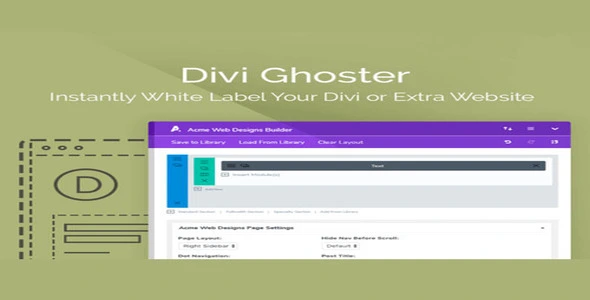
AGS: Divi Ghoster Pro is a premium WordPress plugin from Aspen Grove Studios that allows agencies, freelancers, and developers to white‑label the Divi theme and builder. It hides all traces of Divi branding, renames menus, replaces logos, and customizes the WordPress dashboard, giving client projects a professional, distraction‑free, and fully branded experience.
🌐 Overview
- Purpose: White‑label Divi by removing or replacing branding in the WordPress admin.
- Audience: Agencies, freelancers, and developers delivering client websites.
- Integration: Works seamlessly with the Divi theme and Divi Builder from Elegant Themes.
🔑 Key Features
- Hide Divi Branding: Remove all mentions of Divi from the WordPress admin.
- Custom Dashboard Branding: Replace logos, names, and menu items with your own.
- Menu Customization: Rename or hide Divi‑related menu items for a cleaner interface.
- Client‑Friendly Admin: Present a simplified, distraction‑free dashboard for editors.
- Consistent Branding: Standardize the look and feel across multiple client projects.
- Role‑Based Control: Curate menus and capabilities depending on user roles.
- Professional Presentation: Deliver websites without exposing underlying tools.
⚙️ How It Works
- Install & Activate: Add Divi Ghoster to your WordPress site.
- Configure Settings: Choose which branding elements to hide or replace.
- Customize Dashboard: Add your own logos, names, and menu labels.
- Deliver to Clients: Provide a polished, branded admin experience without Divi references.
📊 Comparison Table
| Feature |
Default Divi Theme |
AGS: Divi Ghoster |
| Divi Branding Visible |
Yes |
No |
| Custom Logos |
No |
Yes |
| Menu Renaming |
No |
Yes |
| Client‑Friendly Admin |
Limited |
Full |
| Role‑Based Control |
No |
Yes |
⚠️ Considerations
- Premium License Required: Divi Ghoster is a paid plugin.
- Divi Dependency: Works only with the Divi theme and builder.
- Setup Needed: Requires configuration to match client branding.
✅ Best For
- Agencies delivering white‑label websites to clients.
- Freelancers who want to present a professional, branded admin.
- Developers managing multiple Divi projects with consistent branding.
- Businesses want a distraction‑free dashboard for editors.
In short, AGS: Divi Ghoster is the go‑to plugin for hiding Divi branding and customizing the WordPress admin, making client projects look polished, professional, and fully on‑brand.
🛠️ How to Install GPL Themes & Plugins from GPLFox.com
1. Download Your Theme or Plugin
- Visit GPLFox.com and log in to your account.
- Browse or search for the theme/plugin you want.
- Click Download to get the
.zip file onto your computer.
2. Install via WordPress Dashboard
- Log in to your WordPress Admin Panel.
- Go to:
- Themes → Appearance > Themes > Add New > Upload Theme
- Plugins → Plugins > Add New > Upload Plugin
- Click Upload, then select the
.zip file you downloaded from GPLFox. - Press Install Now.
3. Activate the Theme or Plugin
- Once installed, click Activate.
- For themes: your site will immediately switch to the new design.
- For plugins: the plugin will be enabled and ready to configure.
4. Configure Settings
- Most premium themes/plugins include customization options.
- Navigate to the theme’s Customizer or plugin’s Settings panel.
- Adjust layouts, features, and integrations as needed.
5. Keep Files Updated
- GPLFox provides updated versions regularly.
- Re‑download the latest
.zip from GPLFox and repeat the upload process to update your theme/plugin.
✅ Tip for Users: Since GPL products don’t require license activation, you can use them right away after installation. Just make sure to keep them up to date for security and compatibility.

 1 × $2.99