


Description
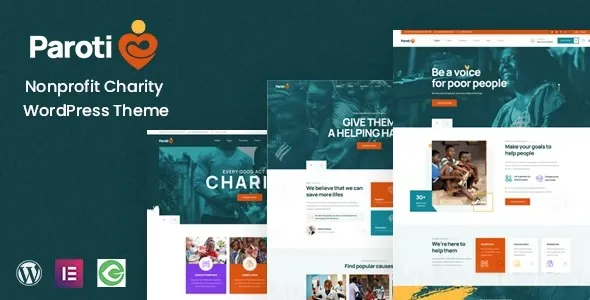
Paroti Nonprofit Charity WordPress Theme is designed for NGOs, charities, and fundraising campaigns that want a professional online presence. This charity WordPress theme includes built‑in donation systems with progress bars and secure payment gateways. As a nonprofit WordPress theme, it offers event calendars, volunteer registration, and campaign management tools. With WooCommerce integration, the fundraising WordPress theme supports selling merchandise and managing online stores. Built as an NGO WordPress theme, it ensures responsive performance and SEO optimization for higher search visibility. Whether you need a donation WordPress plugin for fundraising or a professional fundraising website theme for global outreach, Paroti delivers a modern, trustworthy, and conversion‑focused design.
🌐 Overview
- Theme Name: Paroti – Nonprofit Charity WordPress Theme
- Category: Nonprofit / Fundraising / Charity WordPress Theme
- Best For: NGOs, charities, fundraising campaigns, nonprofit organizations, and community projects
🎯 Key Features
- Donation & Fundraising Tools
- Integrated donation system with multiple payment gateways
- Campaign pages with progress bars and donor lists
- Event & Volunteer Management
- Event calendars for charity drives and awareness programs
- Volunteer registration and participation forms
- WooCommerce Integration
- Sell merchandise or fundraising products online
- Secure checkout and inventory management
- Elementor Page Builder
- Drag‑and‑drop customization with charity‑focused widgets
- Flexible layouts for campaigns, events, and stories
- Responsive & SEO Optimized
- Mobile‑friendly, retina‑ready design
- RankMath compatibility for higher search visibility
- Multilingual Support
- WPML compatibility for international donors
- RTL support for diverse languages
📊 Feature Highlights
| Feature | Paroti Benefits |
|---|---|
| Donation Systems | Progress bars, donor lists, secure payments |
| Event Tools | Calendars, volunteer registration |
| WooCommerce Ready | Sell charity merchandise |
| Customization | Elementor drag‑and‑drop builder |
| Responsive Design | Mobile‑friendly, retina‑ready |
| SEO Optimization | RankMath compatible |
| Multilingual Support | WPML & RTL ready |
👥 Who Should Use Paroti?
- Charities & NGOs – Run fundraising campaigns and collect donations.
- Nonprofits – Promote causes and manage events.
- Community Groups – Engage volunteers and raise awareness.
- Fundraising Campaigns – Showcase progress and inspire support.
⚠️ Considerations & Trade‑offs
- Setup Complexity: Donation systems may require plugin configuration.
- Plugin Dependencies: WooCommerce and Elementor needed for full functionality.
- Customization Depth: Advanced workflows may need add‑ons.
✅ Final Takeaway
Paroti is a powerful nonprofit and charity WordPress theme that helps NGOs, charities, and fundraising campaigns build professional, responsive, and SEO‑ready websites. With donation systems, event management, WooCommerce integration, and Elementor customization, it’s the perfect solution for organizations aiming to inspire, connect, and grow their impact online.









Reviews
There are no reviews yet.