

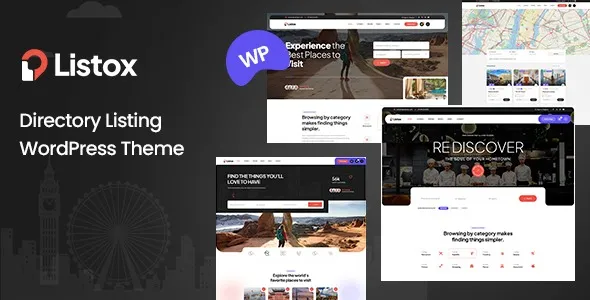

Description
The Listox Directory Listing WordPress Theme is a complete solution for entrepreneurs and agencies looking to build scalable platforms. With Elementor directory listing customization, WooCommerce directory integration, and advanced search features, it’s ideal for creating business listing WordPress themes, rental hubs, or service marketplaces. Its SEO‑friendly directory theme structure ensures higher rankings, while multilingual support makes it perfect for global audiences. Whether you’re launching a rental marketplace WordPress theme or a local business directory, Listox provides all the tools to create engaging, responsive, and revenue‑driven websites.
🌐 Overview
- Theme Name: Listox Directory Listing WordPress Theme
- Version: 1.0 (Updated November 23, 2025)
- Platform: WordPress
- Audience: Entrepreneurs, agencies, communities, and businesses needing directory or listing websites
✨ Key Features
- Ready‑Made Demos: Business directories, rental platforms, service listings, and event portals.
- Advanced Search & Filtering: Maps, categories, ratings, and keyword filters for user convenience.
- Customizable Layouts: Detailed listing profiles with images, reviews, and contact info.
- Front‑End Submission: Users can add and manage their own listings directly.
- Booking Functionality: Integrated system for rentals, appointments, and event ticketing.
- Monetization Tools: Featured listings, highlighted ads, and WooCommerce payment integration.
- Elementor Builder: Drag‑and‑drop customization with parallax, animations, and background video.
- SEO Optimized: Lightweight, responsive design coded for higher search rankings.
- Multilingual & RTL Support: WPML compatibility for global accessibility.
- Responsive Design: Works seamlessly across desktop, tablet, and mobile devices.
📊 Benefits
| Feature | Standard Directory Theme | Listox Theme |
|---|---|---|
| Search & Filtering | Basic | Advanced with maps & ratings |
| Booking System | Limited | Rentals, appointments, events |
| Monetization Options | Few | Featured listings, ads, WooCommerce |
| Customization | Minimal | Elementor drag‑and‑drop builder |
| Global Accessibility | Partial | Multilingual + RTL support |
📌 Ideal Use Cases
- Local Business Directories: Restaurants, shops, and service providers.
- Property Rental Platforms: Apartments, vacation homes, or office spaces.
- Event Listings: Conferences, concerts, or ticketed events.
- Service Marketplaces: Freelancers, consultants, or agencies.
- Tourism & Travel Portals: Tours, activities, and accommodations.
⚠️ Considerations
- Learning Curve: Advanced features (Elementor + booking system) may require setup time.
- Hosting Requirements: Best performance with optimized hosting for speed and scalability.
- Monetization Strategy: Requires clear pricing models for featured listings and ads.
Listox – Directory Listing WordPress Theme is a modern, responsive, and feature‑rich theme built for business directories, rental hubs, service marketplaces, and event listings. It combines advanced search, customizable layouts, booking functionality, and WooCommerce integration to create scalable, revenue‑driven platforms.
✅ In summary, Listox Directory Listing WordPress Theme is a complete solution for building professional directory and listing websites with advanced search, booking, and monetization tools—perfect for entrepreneurs and agencies aiming to launch scalable, profitable platforms.









Reviews
There are no reviews yet.