


Description
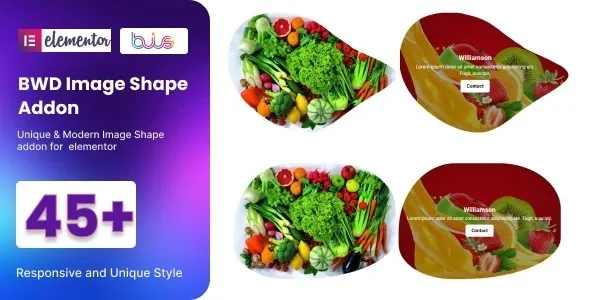
The BWD Image Shape Addon for Elementor is a creative Elementor image shape addon that transforms standard images into unique layouts and designs. This WordPress image styling plugin offers multiple shapes, including circles, polygons, and abstract styles, to enhance visual storytelling. As a responsive image shape plugin, it ensures mobile‑friendly performance and retina‑ready visuals across all devices.
Lightweight and fast, this SEO optimized image plugin integrates seamlessly with Elementor’s drag‑and‑drop builder, making customization simple and code‑free. Perfect for portfolios, blogs, and online stores, the modern image styling Elementor addon helps agencies, designers, and businesses showcase products and content with flair. Whether you need a portfolio image shape plugin for creative projects or an e‑commerce image layout WordPress addon for product displays, BWD delivers engaging visuals and professional results. Available exclusively at GPL Fox.
🌐 Overview
- Plugin Name: BWD Image Shape – Addon for Elementor
- Category: Elementor Addon / Image Styling & Visual Effects
- Best For: Designers, agencies, bloggers, photographers, and WordPress users who want creative image shapes and layouts
🎯 Key Features
- Creative Image Shapes
- Apply unique shapes (circle, hexagon, polygon, abstract) to images
- Enhance visual storytelling with modern design styles
- Elementor Integration
- Seamless drag‑and‑drop widget support
- No coding required for customization
- Responsive & Mobile‑Friendly
- Optimized for all devices and screen sizes
- Retina‑ready visuals for crisp image quality
- Lightweight & Fast
- Clean coding ensures smooth performance
- Compatible with modern WordPress setups
- SEO & Engagement
- Improves user experience with creative visuals
- Perfect for portfolios, blogs, and product showcases
📊 Feature Highlights
| Feature | Benefits |
|---|---|
| Image Shapes | Circle, polygon, abstract styles |
| Elementor Support | Drag‑and‑drop customization |
| Responsive Design | Mobile‑friendly, retina‑ready |
| Lightweight Code | Fast performance |
| Creative Storytelling | Boosts engagement & branding |
👥 Who Should Use the BWD Image Shape Addon?
- Photographers & Artists – Showcase portfolios with unique image shapes.
- Agencies & Designers – Add creative flair to client websites.
- Bloggers & Content Creators – Make posts visually engaging.
- E‑commerce Stores – Highlight products with stylish image layouts.
⚠️ Considerations
- Elementor Dependency: Requires Elementor for full functionality.
- Design Focused: Best suited for creative and visually rich websites.
✅ Final Takeaway
The BWD Image Shape – Addon for Elementor is a lightweight yet powerful plugin that transforms standard images into creative shapes and layouts. With responsive design, smooth performance, and full Elementor integration, it’s perfect for creatives, agencies, and businesses looking to elevate their WordPress sites with modern image styling.









Reviews
There are no reviews yet.