

Description
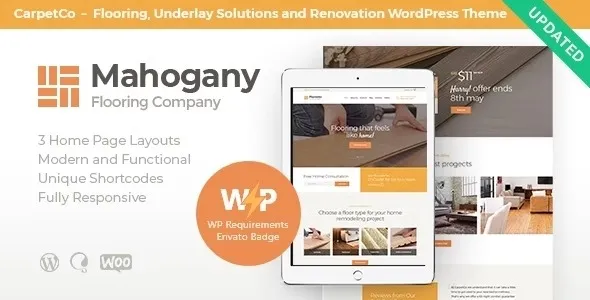
The Mahogany WordPress Theme is a carpentry WordPress theme designed for woodworking shops, flooring contractors, and renovation firms. As a woodwork WordPress theme, it provides specialized layouts to showcase furniture making, cabinetry, and flooring services. With Elementor integration, this flooring WordPress theme allows drag‑and‑drop customization for service pages and portfolios. Renovation businesses benefit from its flexibility, making it a renovation WordPress theme that adapts to multiple service niches.
Contractors can use it as a contractor WordPress theme to present projects and client case studies. Built as a responsive WordPress theme, Mahogany ensures mobile‑friendly performance across all devices. Its stylish design makes it a modern WordPress theme, while the SEO optimized WordPress theme structure helps businesses rank higher in search results. Overall, the Mahogany WordPress Theme is the ultimate solution for professional service providers.
🎯 Key Features
- Carpentry & Woodwork Layouts – Specialized pages for furniture making, cabinetry, and flooring services.
- Portfolio Showcase – Highlight completed projects with galleries and case studies.
- WooCommerce Ready – Sell wood products, flooring materials, or service packages online.
- Elementor Integration – Drag‑and‑drop customization with creative widgets.
- Responsive & Retina‑Ready – Optimized for mobile, tablet, and desktop.
- SEO Optimized – RankMath compatible with clean code and schema markup.
- Blog & Content Tools – Share woodworking tips, flooring guides, and company updates.
- Multilingual Support – WPML and RTL compatibility for global clients.
📊 Feature Highlights
| Feature | Mahogany Benefits |
|---|---|
| Carpentry Layouts | Showcase woodwork & flooring services |
| Portfolio Pages | Display projects & case studies |
| WooCommerce Ready | Sell products & service packages |
| Customization | Elementor drag‑and‑drop builder |
| Responsive Design | Mobile‑friendly, retina‑ready |
| SEO Optimization | RankMath compatible |
| Multilingual Support | WPML & RTL ready |
👥 Who Should Use Mahogany?
- Carpentry Businesses – Present furniture making and cabinetry services.
- Flooring Contractors – Showcase installation, repair, and renovation projects.
- Woodworking Shops – Sell custom wood products and flooring materials.
- Renovation Firms – Build a professional online presence for multiple services.
⚠️ Considerations & Trade‑offs
- Plugin Dependencies: Requires Elementor for full customization.
- Setup Complexity: WooCommerce setup needed for product/service sales.
- Niche Focus: Best suited for carpentry, flooring, and woodworking industries.
✅ Final Takeaway
Mahogany – Carpentry, Woodwork & Flooring Company WordPress Theme is a powerful, modern, and flexible solution for carpentry shops, flooring contractors, and woodworking businesses. With Elementor customization, WooCommerce integration, and SEO‑ready layouts, Mahogany helps service providers create professional websites that highlight craftsmanship, attract clients, and grow their brand.










Reviews
There are no reviews yet.