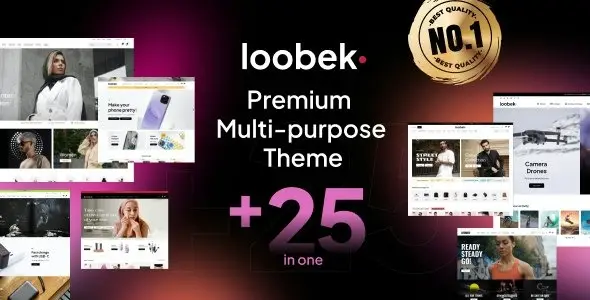
Loobek—Elementor Multipurpose WooCommerce Theme is a versatile, modern WordPress theme designed for building stylish and functional online stores. Powered by WooCommerce and Elementor, it offers a wide range of pre‑built layouts and customization options, making it ideal for fashion, electronics, furniture, beauty, and multipurpose eCommerce businesses.
🛒 Overview
Loobek is crafted to deliver a seamless shopping experience with advanced eCommerce features and responsive design. Whether you’re launching a niche store or a large marketplace, Loobek provides the flexibility and tools needed to create a professional online presence.
⚙️ Key Features
- Elementor Page Builder—Drag‑and‑drop customization with live editing.
- WooCommerce Integration—Full support for product catalogs, carts, and secure checkout.
- Pre‑Designed Layouts – Multiple homepage and product page templates for quick setup.
- One‑Click Demo Import—Launch your store instantly with ready‑made designs.
- Responsive & Retina Ready—Optimized for desktops, tablets, and mobile devices.
- Mega Menu Support – Showcase categories and promotions in a stylish navigation menu.
- Product Filtering & Search—Help customers find items quickly and easily.
- Wishlist & Compare Features – Enhance customer engagement and shopping convenience.
- Quick View & Ajax Cart—Smooth shopping interactions without page reloads.
- SEO Optimized – Built to improve search engine visibility.
- Multilingual & RTL Support – Ready for global audiences.
📚 Resources & Support
- Detailed Documentation – Step‑by‑step setup guides.
- Dedicated Support Team – Professional assistance for troubleshooting and customization.
- Regular Updates—Ensures compatibility with the latest WordPress and WooCommerce versions.
- Demo Content Included—Professionally designed shop pages ready to use.
🛠️ Why Choose Loobek?
- Multipurpose design suitable for fashion, electronics, furniture, and more.
- Beginner-friendly yet powerful enough for advanced users.
- Professional layouts to highlight products, promotions, and customer reviews.
- Global reach with multilingual and WooCommerce support.
- Credibility‑focused – Build trust with polished design and seamless shopping features.
✅ Perfect For
- Fashion boutiques
- Electronics and gadget stores
- Furniture and home décor shops
- Beauty and lifestyle products
- Multipurpose online marketplaces
Loobek ensures your eCommerce business has a professional, flexible, and engaging online presence, helping you sell products effectively and deliver a smooth shopping experience.
Would you like me to also prepare a short SEO‑optimized description (under 160 characters) for Loobek so you can use it as a meta description on GPLFox.com?
Sources:
🛠️ How to Install GPL Themes & Plugins from GPLFox.com
1. Download Your Theme or Plugin
- Visit GPLFox.com and log in to your account.
- Browse or search for the theme/plugin you want.
- Click Download to get the
.zip file onto your computer.
2. Install via WordPress Dashboard
- Log in to your WordPress Admin Panel.
- Go to:
- Themes → Appearance > Themes > Add New > Upload Theme
- Plugins → Plugins > Add New > Upload Plugin
- Click Upload, then select the
.zip file you downloaded from GPLFox. - Press Install Now.
3. Activate the Theme or Plugin
- Once installed, click Activate.
- For themes: your site will immediately switch to the new design.
- For plugins: the plugin will be enabled and ready to configure.
4. Configure Settings
- Most premium themes/plugins include customization options.
- Navigate to the theme’s Customizer or plugin’s Settings panel.
- Adjust layouts, features, and integrations as needed.
5. Keep Files Updated
- GPLFox provides updated versions regularly.
- Re‑download the latest
.zip from GPLFox and repeat the upload process to update your theme/plugin.
✅ Tip for Users: Since GPL products don’t require license activation, you can use them right away after installation. Just make sure to keep them up to date for security and compatibility.

 1 × $2.99