

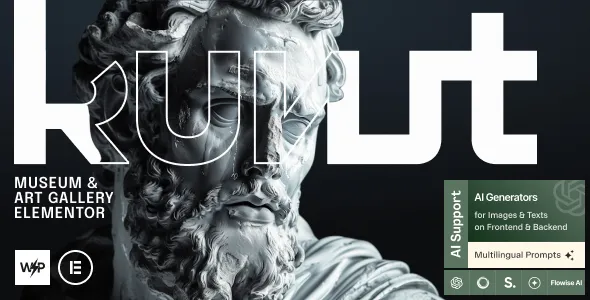

Description
The Kunst Museum & Art Gallery Elementor WordPress Theme is a powerful museum WordPress theme designed for galleries, cultural institutions, and artists. This art gallery WordPress theme provides elegant layouts for showcasing collections, exhibitions, and portfolios. With Elementor support, the exhibition WordPress Theme template allows drag‑and‑drop customization for event pages, galleries, and blogs. WooCommerce integration ensures the WooCommerce art theme can handle ticket sales, merchandise, and donations.
Fully responsive and retina‑ready, the responsive museum WordPress theme delivers a seamless experience across devices. As an SEO optimized art theme, Kunst boosts visibility and engagement online. Whether you need a cultural institution WordPress theme, an artist portfolio WordPress theme, or an event management WordPress theme, Kunst provides the complete solution for building a professional cultural website.
🌐 Overview
- Theme Name: Kunst – Museum & Art Gallery Elementor WordPress Theme
- Category: Art / Culture / Exhibition WordPress Theme
- Best For: Museums, galleries, cultural centers, artists, and exhibition organizers
🎯 Key Features
- Exhibition & Collection Layouts
- Pre‑built templates for galleries, collections, and exhibitions
- High‑resolution imagery support with detailed descriptions
- Event & Ticketing Support
- Integrated event pages for exhibitions and cultural programs
- WooCommerce compatibility for ticket sales and merchandise
- Elementor Integration
- Drag‑and‑drop customization for layouts and pages
- Creative widgets tailored for art and culture presentations
- Responsive & SEO Optimized
- Mobile‑friendly, retina‑ready design
- RankMath compatibility for higher search visibility
- Multilingual & Accessibility
- WPML support for global audiences
- Clean typography and accessible design for diverse visitors
📊 Feature Highlights
| Feature | Kunst Benefits |
|---|---|
| Exhibition Layouts | Showcase collections & artwork |
| Event Management | Promote exhibitions & sell tickets |
| Elementor Integration | Drag‑and‑drop customization |
| WooCommerce Ready | Ticketing & merchandise sales |
| Responsive Design | Mobile‑friendly, retina‑ready |
| SEO Optimization | RankMath compatible |
| Multilingual Support | WPML & accessibility ready |
👥 Who Should Use Kunst?
- Museums & Galleries – Present collections and exhibitions online.
- Cultural Institutions – Promote events and engage communities.
- Artists & Curators – Showcase portfolios and creative projects.
- Event Organizers – Manage ticket sales and cultural programs.
⚠️ Considerations & Trade‑offs
- Plugin Dependencies: WooCommerce needed for ticketing and sales.
- Content Preparation: High‑quality images and descriptions required for impact.
- Customization Depth: Advanced layouts may need Elementor knowledge.
Kunst – Museum & Art Gallery Elementor WordPress Theme is a powerful and elegant theme designed for museums, art galleries, cultural institutions, and creative exhibitions. Built with Elementor, it provides drag‑and‑drop customization, WooCommerce integration, and modern layouts to help organizations showcase collections, promote events, and engage visitors online.











Reviews
There are no reviews yet.