

Description
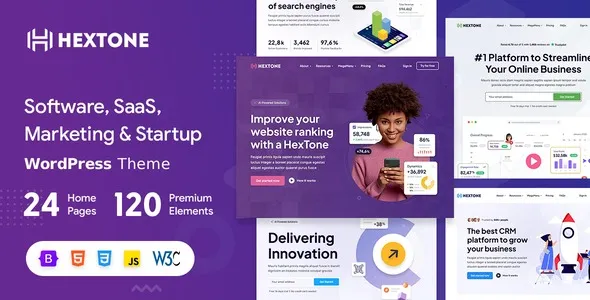
The HexTone WordPress Theme is a powerful software WordPress theme designed for SaaS startups, app developers, and digital agencies. This SaaS WordPress theme includes modern layouts for product showcases, portfolios, and landing pages. With Elementor support, the Elementor software template allows drag‑and‑drop customization for services and case studies. WooCommerce integration ensures the WooCommerce SaaS theme can handle subscriptions, licenses, and digital product sales. Fully responsive and retina‑ready, the startup WordPress theme delivers seamless performance across devices while boosting visibility through SEO optimization.
🌐 Overview
- Theme Name: HexTone – Software, SaaS & Startup WordPress Theme
- Category: Software / SaaS / Startup / Digital Agency WordPress Theme
- Best For: SaaS startups, app developers, IT service providers, software companies, and digital agencies
🎯 Key Features
- Professional Layouts
- Pre‑built demos for SaaS, software, and startup websites
- Portfolio and case study sections for showcasing projects
- Elementor Integration
- Drag‑and‑drop customization for all pages
- Creative widgets tailored for software and digital services
- WooCommerce Ready
- Sell software licenses, subscriptions, or digital products
- Integrated payment gateways for seamless transactions
- Responsive & SEO Optimized
- Mobile‑friendly, retina‑ready design
- RankMath compatibility for higher search visibility
- Startup‑Focused Features
- Blog layouts for industry insights and updates
- Service pages for IT solutions and app features
📊 Feature Highlights
| Feature | HexTone Benefits |
|---|---|
| SaaS & Startup Layouts | Showcase apps, services, and products |
| Elementor Integration | Drag‑and‑drop customization |
| WooCommerce Ready | Sell licenses & subscriptions |
| Responsive Design | Mobile‑friendly, retina‑ready |
| SEO Optimization | RankMath compatible |
| Portfolio & Case Studies | Highlight projects & success stories |
👥 Who Should Use HexTone?
- SaaS Startups – Build subscription‑based landing pages.
- App Developers – Showcase mobile and web applications.
- Software Companies – Present products and services online.
- Digital Agencies – Promote IT solutions and creative services.
- Tech Entrepreneurs – Sell digital products and grow online presence.
⚠️ Considerations & Trade‑offs
- Plugin Dependencies: WooCommerce required for selling digital products.
- Customization Depth: Advanced layouts may need Elementor knowledge.
- Content Preparation: Strong visuals and product demos enhance impact.
HexTone – Software, SaaS & Startup WordPress Theme is a modern and professional theme designed for software companies, SaaS startups, and digital agencies. With Elementor integration, WooCommerce support, and responsive layouts, it provides everything needed to showcase apps, services, and technology solutions online.












Reviews
There are no reviews yet.