

Description
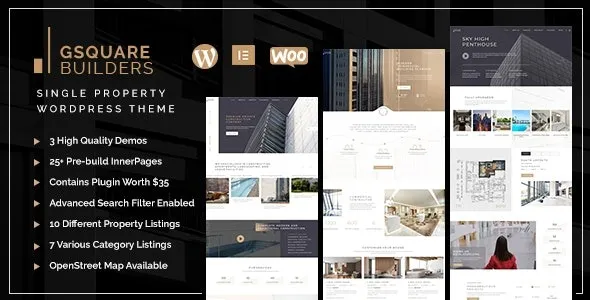
The Gsquare Real Estate Theme from GPL Fox is a modern real estate WordPress theme designed for agencies, brokers, and property managers. As a property listing WordPress plugin, it allows you to showcase homes, rentals, and commercial properties with detailed information and images. With advanced search filters and Google Maps integration, it functions as a WordPress real estate agency theme that enhances user experience and engagement. Optimized for speed, it is a responsive property WordPress theme that works flawlessly across devices. Built with Elementor,
It serves as an Elementor real estate theme that simplifies customization for beginners and professionals. Clean coding ensures it is an SEO optimized real estate theme that improves visibility. Whether you’re managing rentals or selling commercial spaces, the Gsquare Real Estate Theme is the powerful and flexible solution for building a professional property website.
🎯 Key Features
- Property Listings Management – Display homes, apartments, offices, and rental properties with detailed information.
- Advanced Search & Filters – Allow users to find properties by location, price, type, and amenities.
- Google Maps Integration – Highlight property locations with interactive maps.
- Responsive & Retina‑Ready – Optimized for mobile, tablet, and desktop viewing.
- Customizable Layouts – Built with Elementor for drag‑and‑drop design flexibility.
- SEO Optimized – Clean coding and schema support for better search visibility.
- Contact & Inquiry Forms – Capture leads directly from property pages.
- Multi‑Purpose Use – Suitable for agencies, brokers, and independent property managers.
📊 Feature Highlights
| Feature | Benefits |
|---|---|
| Property Listings | Showcase detailed property info |
| Advanced Search | Easy filtering by criteria |
| Google Maps Integration | Interactive property locations |
| Responsive Design | Mobile‑friendly browsing |
| Elementor Support | Drag‑and‑drop customization |
| SEO Optimized | Better search engine ranking |
👥 Who Should Use Gsquare?
- Real Estate Agencies – Manage and promote multiple property listings.
- Property Brokers – Showcase available homes and offices.
- Rental Businesses – Highlight apartments, vacation rentals, or commercial spaces.
- Independent Realtors – Build a professional online presence.
⚠️ Considerations
- Plugin Dependency: Works best with Elementor and WooCommerce for extended features.
- Customization Depth: Extensive options may require setup time for beginners.
✅ Final Takeaway
The Gsquare Real Estate WordPress Theme is a powerful and flexible solution for property professionals. With advanced search, Google Maps integration, responsive layouts, and SEO‑friendly design, it empowers agencies, brokers, and realtors to build modern, conversion‑focused real estate websites with ease.













Reviews
There are no reviews yet.