

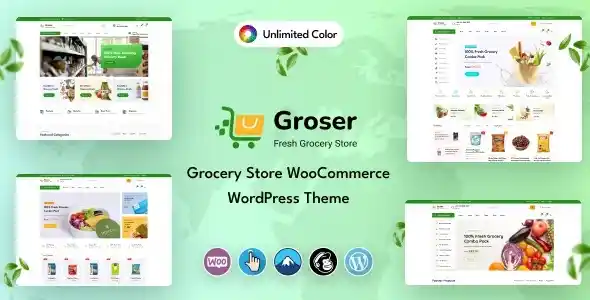

Description
The Groser Grocery Store WooCommerce WordPress Theme at GPL Fox is a premium eCommerce solution for supermarkets, organic shops, and food delivery businesses. With this buy grocery store WordPress theme, you can create modern layouts to showcase products and categories. It works perfectly as a premium supermarket WordPress theme and organic food shop WordPress template, offering WooCommerce integration for carts, checkout, and secure payments. Built with Elementor, this elementor grocery store theme is easy to customize, while responsive design ensures a seamless shopping experience. Compatible with multi‑vendor plugins, Groser can also serve as a multi‑vendor grocery marketplace WordPress theme. Lightweight and SEO‑friendly, it’s the ideal seo-friendly grocery WordPress theme for retailers looking to expand their digital presence.
🌐 Theme Overview
- Name: Groser – Grocery Store WooCommerce Theme
- Category: WooCommerce / Grocery / Retail WordPress Theme
- Best For: Grocery shops, supermarkets, organic food stores, food delivery, and multi‑vendor marketplaces
🚀 Key Features
- WooCommerce Integration – Full grocery shop functionality with cart & checkout.
- Elementor Customization – Drag‑and‑drop builder for layouts.
- Pre‑built Demos – Ready‑made designs for grocery and food delivery.
- Responsive & Retina Ready – Optimized for all devices.
- SEO‑Friendly Design – RankMath compatible for higher visibility.
- Multi‑Vendor Ready – Compatible with marketplace plugins.
- Fast Performance – Lightweight and optimized for speed.
🛠️ Use Cases
- Supermarkets & Grocery Stores – Sell food, beverages, and household items online.
- Organic Shops – Showcase natural and organic products.
- Food Delivery Businesses – Offer online ordering and delivery options.
- Multi‑Vendor Marketplaces – Build platforms with multiple sellers.
📊 Feature Highlights
| Feature | Groser Benefits |
|---|---|
| WooCommerce Support | Complete grocery shop functionality |
| Elementor Integration | Easy drag‑and‑drop customization |
| Pre‑built Demos | Quick setup for grocery layouts |
| Responsive Design | Mobile‑friendly shopping experience |
| SEO Optimization | RankMath compatible |
| Multi‑Vendor Ready | Marketplace support |
✅ Final Takeaway
Groser – Grocery Store WooCommerce Theme is a premium eCommerce WordPress theme designed specifically for online grocery shops, supermarkets, organic food stores, and multi‑category retail businesses. Built with WooCommerce integration, Groser provides a complete shopping experience with product catalogs, advanced filtering, carts, and secure checkout.
The theme comes with Elementor support for drag‑and‑drop customization, allowing you to design unique layouts for product pages, categories, and homepages. It includes pre‑built demos tailored for grocery and food delivery businesses, making setup quick and easy. Fully responsive and retina‑ready, Groser ensures a seamless shopping experience across mobile, tablet, and desktop devices.
With SEO‑friendly design, fast performance, and compatibility with popular plugins, Groser helps grocery stores attract customers and grow their online presence. Whether you’re running a supermarket, organic shop, or multi‑vendor marketplace, Groser delivers a professional and modern solution for food and retail eCommerce.










Reviews
There are no reviews yet.