
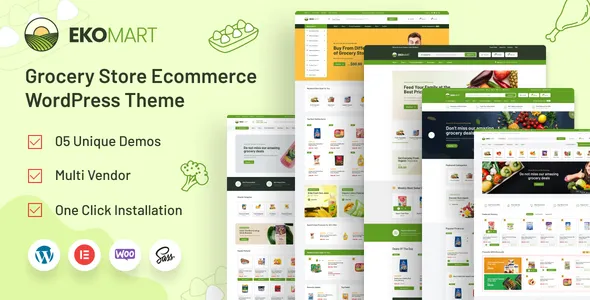

Description
Ekommart Grocery WordPress Theme is a powerful solution for building modern online grocery shops and supermarkets. As a WooCommerce grocery theme, it provides full catalog management, carts, and secure payment gateways. With Elementor eCommerce theme integration, customization is simple and flexible, while its responsive WooCommerce theme design ensures smooth performance across devices. Ekommart also supports multivendor marketplace WordPress theme setups, making it ideal for entrepreneurs launching online supermarkets or food delivery WordPress theme platforms.
🌐 Overview
- Theme Name: Ekommart – Grocery Shop WooCommerce WordPress Theme
- Developer: Opal_WP
- Category: WooCommerce & eCommerce WordPress Theme
- Best For: Grocery shops, supermarkets, multi‑vendor marketplaces, food delivery stores, and general eCommerce businesses
🎯 Key Features
- WooCommerce Integration
- Full support for product catalogs, carts, checkout, and payment gateways
- Advanced product filtering and category management
- Elementor Page Builder
- Drag‑and‑drop customization with pre‑built grocery layouts
- 23+ homepage demos for different industries (grocery, fashion, electronics, furniture, etc.)
- Multivendor Marketplace Ready
- Compatible with Dokan and other marketplace plugins
- Build single‑vendor or multi‑vendor grocery shops
- Mobile‑First Responsive Design
- Optimized for smartphones, tablets, and desktops
- Retina‑ready visuals for modern devices
- SEO & Performance Optimized
- Clean coding, fast loading, RankMath compatible
- Built‑in blog and content marketing tools
- Customization Options
- Header, footer, and mega menu builder
- Multilingual and RTL support for international sales
📊 Feature Highlights
| Feature | Ekommart Theme Benefits |
|---|---|
| WooCommerce Support | Full grocery shop functionality |
| Customization | Elementor drag‑and‑drop builder |
| Marketplace Ready | Dokan compatibility for multi‑vendor stores |
| SEO Optimization | Fast, semantic coding |
| Design | Mobile‑first, retina‑ready layouts |
| Pre‑built Demos | 23+ homepage layouts |
| Support | Regular updates & documentation |
👥 Who Should Use Ekommart Online Supermarket WordPress Theme?
- Grocery Stores & Supermarkets – Sell food, beverages, and household items online.
- Multi‑Vendor Marketplaces – Launch platforms with multiple sellers.
- Retailers & Wholesalers – Manage large product catalogs with ease.
- Dropshippers – Build automated WooCommerce stores.
- Niche Entrepreneurs – Perfect for food delivery, organic shops, or specialty products.
⚠️ Considerations & Trade‑offs
- Setup Complexity: Marketplace features may require configuration with Dokan or similar plugins.
- Payment Gateways: Ensure international payment options are properly integrated.
- Customization: Elementor simplifies design, but advanced eCommerce functions may need add‑ons.
Ekommart – Grocery Shop WooCommerce WordPress Theme is a multipurpose, SEO‑optimized eCommerce theme designed for online grocery stores and multi‑category shops. It combines WooCommerce power, Elementor customization, and responsive layouts to deliver a professional shopping experience for global audiences.














Reviews
There are no reviews yet.