


Description
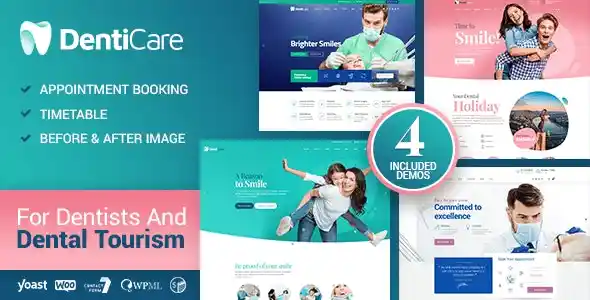
The DentiCare Medical Dentist Dental Clinic WordPress Theme at GPL Fox is the ultimate healthcare website solution for dentists, orthodontists, and medical professionals. With this dentist WordPress theme, you can showcase treatments, staff profiles, and patient testimonials in a clean, modern layout. It works seamlessly as a dental clinic WordPress theme and a medical WordPress theme, offering appointment booking functionality, service pages, and WooCommerce integration for selling dental care products. Built as a responsive healthcare WordPress theme, it ensures mobile‑friendly performance, while being an SEO‑friendly medical theme helps boost visibility in search engines. Whether you need an orthodontist WordPress theme for credibility or a healthcare WordPress theme for professional branding, DentiCare delivers trust, growth, and patient engagement.
🌐 Overview
- Purpose: Create modern websites for dental and healthcare services.
- Audience: Dentists, orthodontists, medical clinics, and healthcare professionals.
- Platform: WordPress + WooCommerce compatibility.
🔑 Key Features
- Pre‑Built Pages: Home, about, services, doctors, pricing, blog, and contact templates.
- Service Showcases: Highlight dental treatments, orthodontics, cosmetic dentistry, and preventive care.
- Doctor Profiles: Present dentist bios, qualifications, and specialties.
- Appointment Booking: Integrated scheduling and inquiry forms.
- Responsive & Mobile‑Friendly: Optimized for smooth performance across all devices.
- WooCommerce Support: Sell dental products or service packages online.
- Drag‑and‑Drop Builder: Easy customization with Elementor.
- Global Styles: Consistent typography and branding across all templates.
- Pricing Tables: Display treatment costs and packages clearly.
- Testimonials: Build trust with patient reviews and success stories.
- Blog Integration: Share oral health tips, clinic updates, and news.
- SEO‑Friendly: Clean coding and optimized structure for search visibility.
- Translation Ready: Supports multilingual websites for global reach.
📊 Benefits
| Feature | Standard Medical Theme | DentiCare Theme |
|---|---|---|
| Healthcare Layouts | Generic | Tailored for dental clinics |
| Doctor Profiles | Limited | Dedicated dentist sections |
| Appointment Booking | Basic forms | Integrated scheduling tools |
| Conversion CTAs | Minimal | Optimized for appointments |
| WooCommerce Support | Optional | Built‑in for product sales |
⚠️ Considerations
- Requires Elementor: For full customization features.
- Premium License: Needed for updates and support.
- Integration with CRM/booking plugins may be required for advanced scheduling.
✅ Best For
- Dental clinics showcasing services and staff.
- Orthodontists promoting treatments and expertise.
- Medical practices building patient‑friendly websites.
- Agencies creating healthcare websites for clients.
DentiCare – Medical, Dentist & Dental Clinic WordPress Theme delivers clean, responsive, and patient‑focused layouts with appointment booking and WooCommerce support, making it the perfect solution for dental professionals and healthcare providers.










Reviews
There are no reviews yet.