
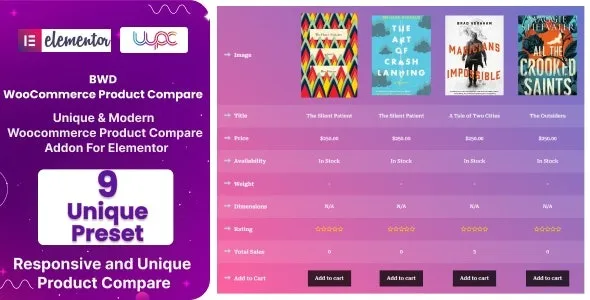

Description
The BWD Photo Stack Addon for Elementor at GPL Fox is a powerful tool for designers, photographers, and creative agencies. This Elementor photo stack addon allows you to display images in layered, stacked formats that bring portfolios and galleries to life. Whether you need a creative WordPress addon or an image showcase WordPress plugin, BWD delivers stylish layouts and interactive effects. Professionals can use it for portfolio photo stack effect presentations, while businesses benefit from its responsive photo gallery addon features. With its SEO-friendly image addon structure and flexibility as a WordPress creative extension, BWD ensures your visuals stand out and attract attention online.
📖 Addon Overview
- Name: BWD Photo Stack Addon for Elementor
- Platform: WordPress (Elementor)
- Audience: Designers, photographers, agencies, creative professionals
- Design Style: Modern, layered, interactive
🚀 Key Features
- Photo Stack Effects: Display images in stacked, layered formats.
- Elementor Integration: Drag‑and‑drop customization with no coding required.
- Responsive Design: Optimized for mobile, tablet, and desktop.
- Creative Layouts: Showcase portfolios, product images, or brand visuals.
- Lightweight & Fast: Built for performance without slowing down your site.
- Customizable Styles: Adjust spacing, hover effects, and transitions.
- SEO‑Friendly: Structured for better image presentation in search engines.
🛠️ Use Cases
- Photographers: Present collections with unique stacked layouts.
- Design Agencies: Showcase creative projects and case studies.
- E‑Commerce Stores: Highlight product images in engaging formats.
- Portfolio Websites: Add interactive visual storytelling to personal sites.
📊 Comparison Snapshot
| Feature | BWD Photo Stack Addon | Generic Image Widget |
|---|---|---|
| Stacked Image Layouts | ✅ Yes | ⚪ No |
| Elementor Integration | ✅ Full | ⚪ Basic |
| Responsive Design | ✅ Optimized | ⚪ Average |
| Creative Hover Effects | ✅ Included | ⚪ Limited |
| SEO Optimization | ✅ Strong | ⚪ Standard |
⚠️ Considerations
- Niche Focus: Best for creative portfolios and galleries.
- Plugin Dependency: Requires Elementor for full functionality.
- GPL Version: Available at GPL Fox without official developer support.
✅ Recommendation
BWD Photo Stack Addon for Elementor is a creative WordPress extension designed to enhance your Elementor-powered websites with stylish photo stacking effects. Perfect for portfolios, galleries, and creative showcases, this addon lets you display multiple images in layered, interactive formats that grab attention and elevate visual storytelling.
If you want to add stylish photo stacking effects to your Elementor site, the BWD Photo Stack Addon at GPL Fox is the perfect choice. It’s ideal for photographers, agencies, and creatives in Dhaka or globally who want to showcase images with modern, interactive layouts while keeping their site fast and SEO‑friendly.










Reviews
There are no reviews yet.