

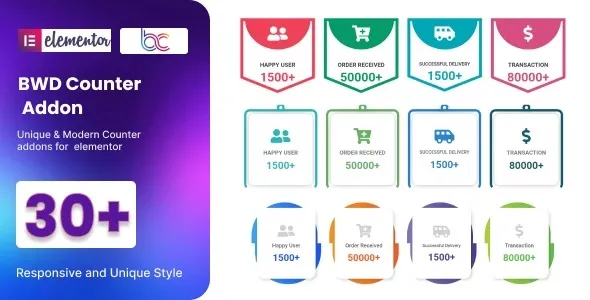

Description
The BWD Counter Addon For Elementor is a powerful Elementor counter addon that helps websites display animated numbers, milestones, and achievements with style. This WordPress counter plugin offers multiple designs and smooth animations to highlight company growth, project completions, or client statistics. As a milestone counter Elementor addon, it integrates seamlessly with Elementor’s drag‑and‑drop builder, making customization simple and code‑free. Lightweight and responsive, this animated number counter WordPress plugin ensures fast performance across all devices. Perfect for agencies, businesses, and portfolios, the responsive counter addon improves engagement and credibility. Whether you need a business stats WordPress plugin or an Elementor number animation WordPress plugin, BWD delivers dynamic visuals and professional results. Available exclusively at GPL Fox.
🌐 Overview
- Plugin Name: BWD Counter Addon For Elementor
- Category: Elementor Addon / Counters & Stats
- Best For: Agencies, businesses, portfolios, bloggers, and e‑commerce sites needing animated number counters
🎯 Key Features
- Animated Counters
- Multiple counter styles (classic, modern, creative)
- Smooth number animations for stats, milestones, and achievements
- Elementor Integration
- Drag‑and‑drop widget support
- Easy customization without coding
- Responsive & Mobile‑Friendly
- Works across all devices and screen sizes
- Retina‑ready design for crisp visuals
- Lightweight & Fast
- Optimized coding ensures speed and performance
- Compatible with modern WordPress setups
- SEO & Engagement
- Improves user interaction and dwell time
- Perfect for showcasing achievements, statistics, and growth metrics
📊 Feature Highlights
| Feature | Benefits |
|---|---|
| Counter Styles | Multiple animated designs |
| Elementor Support | Drag‑and‑drop customization |
| Responsive Design | Mobile‑friendly, retina‑ready |
| Lightweight Code | Fast performance |
| Engagement Boost | Show stats, milestones, achievements |
👥 Who Should Use BWD Counter Addon?
- Agencies & Businesses – Display company growth, client stats, or achievements.
- Portfolios & Creatives – Highlight completed projects or milestones.
- Bloggers & Content Creators – Showcase readership, subscribers, or engagement numbers.
- E‑commerce Stores – Present product sales, customer counts, or reviews.
⚠️ Considerations
- Elementor Dependency: Requires Elementor for full functionality.
- Design Focused: Best suited for sites that benefit from visual statistics.
The BWD Counter Addon for Elementor is a lightweight plugin that lets you create animated counters and number statistics with stylish effects, perfect for business websites, portfolios, agencies, and e‑commerce stores. It integrates seamlessly with Elementor, is responsive, and enhances user engagement with dynamic number animations.













Reviews
There are no reviews yet.